EasyManua.ls Logo

Tesla RoboStar T80 Pro - Page 47

Tesla RoboStar T80 Pro
Print Icon
To Next Page IconTo Next Page
To Previous Page IconTo Previous Page
Loading...
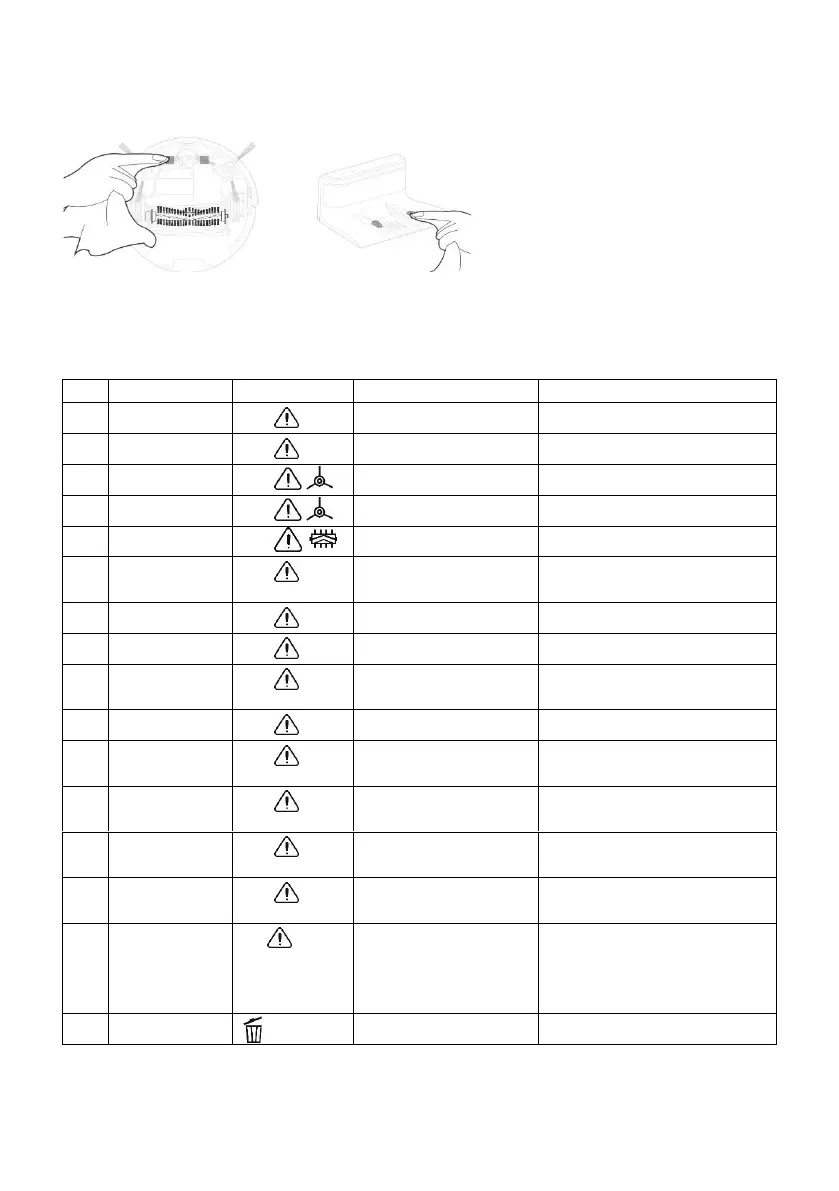
Charging contacts and charging base
Clean the contacts on the bottom of the vacuum cleaner and the charging base with a soft cloth.
DESCRIPTION OF ERROR MESSAGES
Sound
Display
Cause
Solution
1.
1x beep
E11
Left wheel error
Check left wheel
2.
1x beep
E12
Right wheel error
Check right wheel
3.
1x beep
E13
Left brush error
Check left brush
4.
1x beep
E14
Right brush error
Check right brush
5.
1x beep
E15
Main brush error
Check main brush
6.
2x beep
E21
The cleaner is not on
the floor
Move cleaner into open space
and try again
7.
2x beep
E22
Cliff sensor error
Check cliff sensor
8.
2x beep
E23
Anti-bumper error
Check anti-bumper
9.
3x beep
E31
The cleaner get stuck
Move cleaner into open space
and try again
10.
3x beep
E32
Fan error
Restart cleaner please
11.
3x beep
E33
Water tank error
Check if water tank is installed
properly
12.
3x beep
E41
Battery error
Turn off/on cleaner or replace
battery
13.
4x beep
E42
Anti-bump sensor
error
Turn off/on cleaner or replace
battery
14.
5x beep
E43
Gyro navigation error
Turn off/on cleaner or replace
battery
15.
LO
Low capacity of
battery
When robot is on standby,
make sure it is charged so
that it has enough power to
work at any time

16.
HEPA filter blocked
Clean HEPA filter

Related product manuals