9
INSTRUCTIONS
Cleaning mode
5. Starting up and charging
6. Connect mobile APP (this step can be skipped)
Please refer to WiFi connection guideline, then connect mobile APP
7. Start cleaning
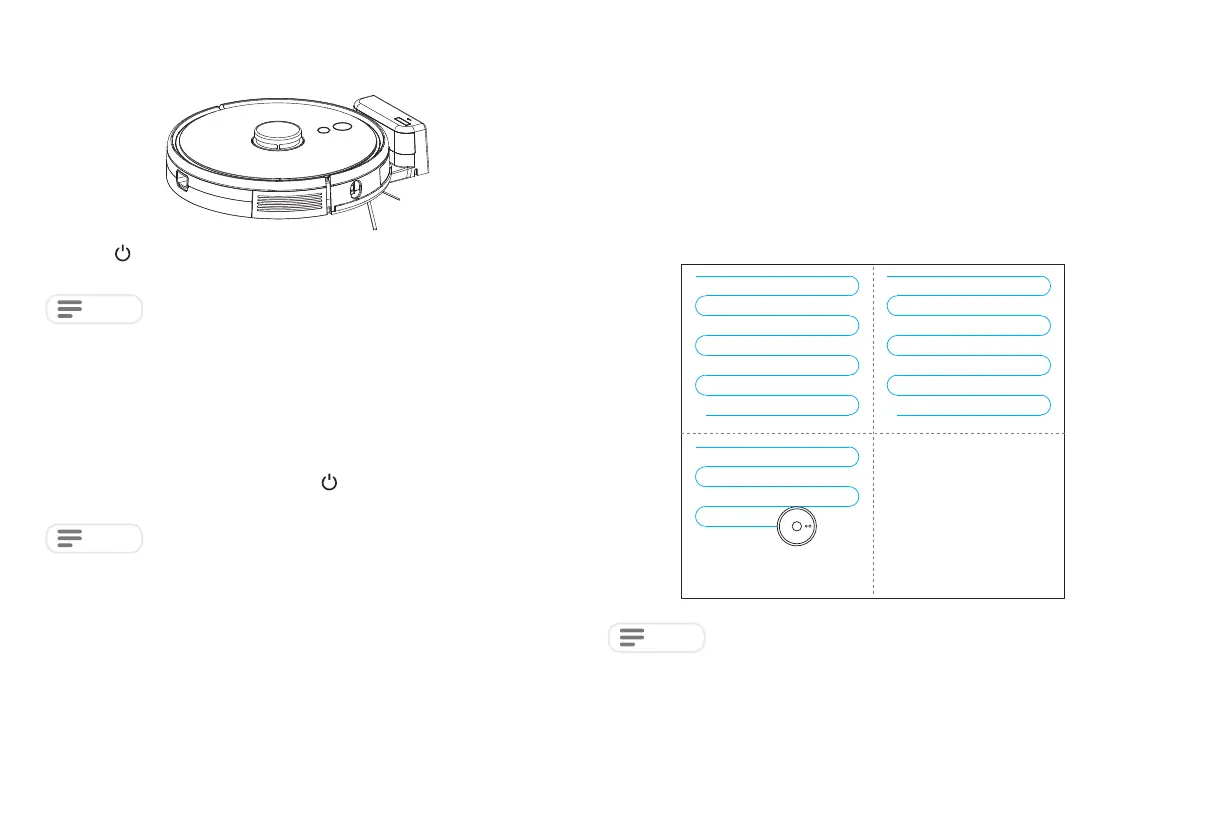
After the robot is powered on, short press key
on the robot or use mobile APP to start
cleaning.(press any button to pause during using)
NOTE
NOTE
NOTE
Long press to switch on the robot. Charge the robot on charging base when the
power indictor light is normally on.
After the robot is powered on, it will scan and generate the map and divide it into areas
intelligently. Then sweep the areas one by one along the wall orderly, efficiently and
thoroughly and plan the cleaning route in a bow/S shape. The robot will return to the
charging base automatically after cleaning.
Do not move the robot casually and frequently when it is cleaning. After moving, please
put the robot near the original position. When it starts again, it will try to reposition itself.
After successful positioning, it would follow the planned path and continue to work.
If the positioning fails, the robot will abort previous mission, make a map, and do the
cleaning again. Even it may not find the charging base.
If the robot cannot be started due to low battery, please charge the robot on the
charging base and the robot will be started automatically. The robot can work normally
only when the battery level is ≥ 20%.
• The sweeping robot cannot be used to remove liquids
• If the battery level is less than 20, the robot cannot work. Please charge it
• The robot will return to the charging base automatically if the battery level is less than
20% in use and will be powered off and start cleaning automatically after the battery
level reaches 80%
• Please clear various wires (including power line of charging base) on the ground
before use so as to avoid outage and damage of objects or wires when wires are
dragged by the host.
Area being cleaned
Area to be cleaned
Completed area Completed area



 To Next Page