www.teslica.com
7
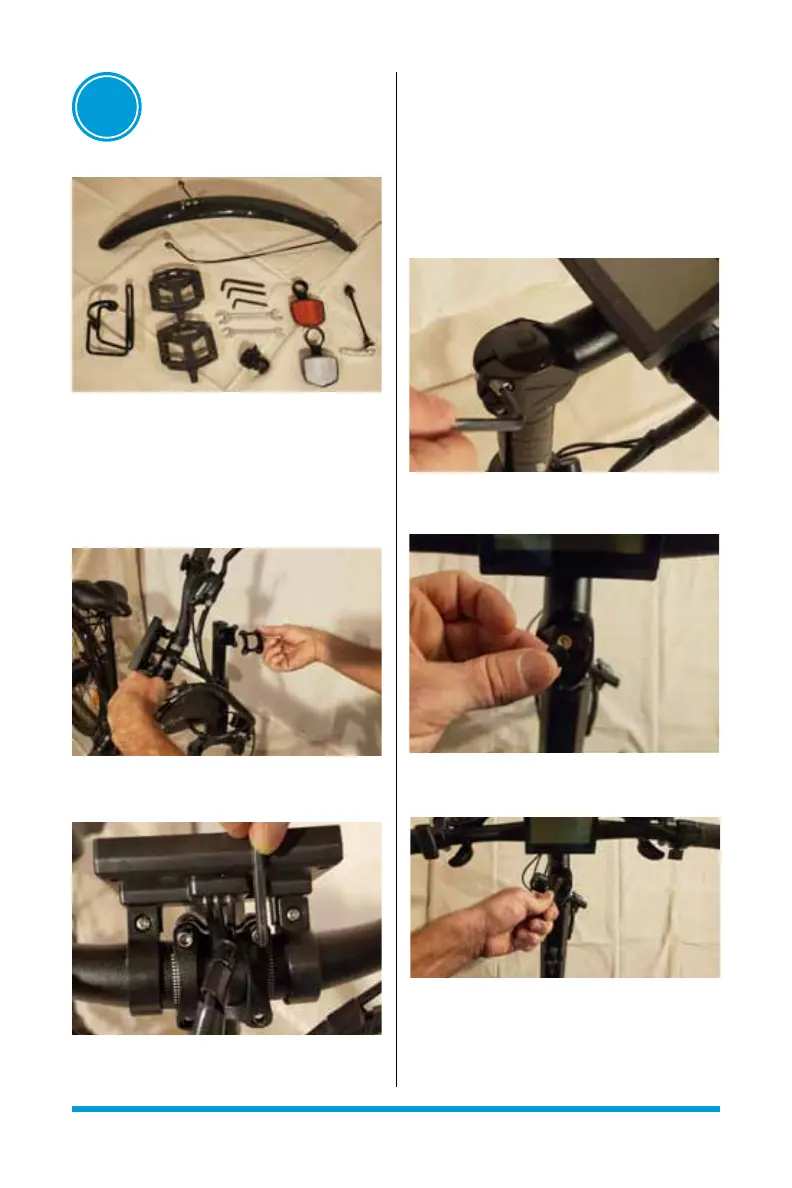
4. Tighten 4 bolts to proper torque setting
3.3 ALIGNMENT AND TIGHTENING
OF STEERING HEADSET
1. Use Allen key to slightly loosen 2 side
bolts on steering stem.
2. Remove black rubber cap on 1 headset
bolt
3. Tighten headset bolt to proper torque
setting and replace black rubber cap
4. Align goose neck and handle bars to
square with front suspension
5. Tighten 2 side bolts on steering stem to
proper torque setting (see image pg. 7)
03
ASSEMBLY
3.1 COMPONENTS FOR ASSEMBLY
Pedals, front fender, front axle/wheel, bell,
bottle holder and reectors
3.2 INSTALLATION OF HANDLE BAR
1. Remove protective wrapping from handle
bar
2. Use Allen key to remove 4 bolts from
goose neck cap
3. Use white indicators to align and center
handle bar under goose neck cap



 To Next Page