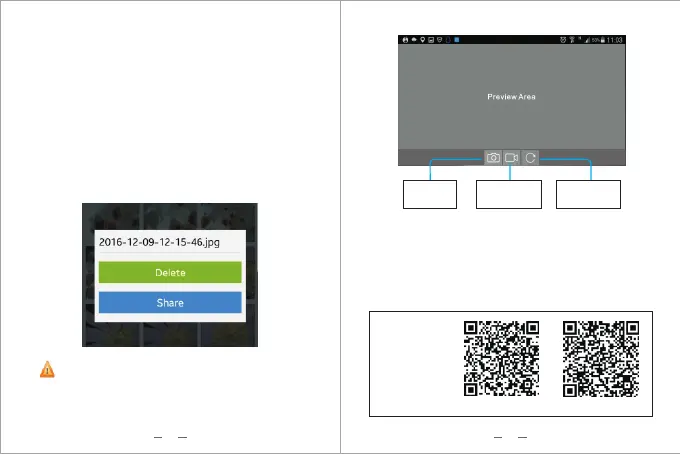
Tap on and hold the photo in the album to delete
or share it
08 09
Device Setting:You can change the resolution of the
camera in this tab.
Photo documentation:Click this button to view photos.
Video documentation:Click this button to view
recorded videos.
Setting:You can set the language, wireless networks,
feedback problems here.
Take Photo Button : Click this button to take a photo
Record Video Button : Click this button take a photo
to st rt recording video , click it again to stop recording
Video.
Rotate button : Click this button to rotate the image
You also can download "Endoscope HD Camera
or "Camerafi" from Google play store. If Endoscope
Camera APP cannot compatible with your phone.
"
APP for
Android
users:
Dropbox
Google Play
Take Photo
Record Video Rotate button


 To Next Page