19
7. Operation
1
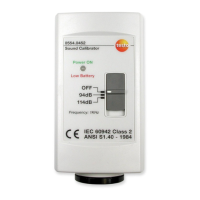
Attach calibrator to microphone with a
rotary motion. Use the corresponding
adapter for instruments with a ½ inch
microphone.
2
Switch on instrument and set the
measurement range from 80 to 130 dB.
3
Set time weighting (Fast/Slow) and
frequency weighting (dB(A),dB(C)) to the
values in which the instrument is usually
operated.
4
Set calibrator level switch to 94dB.
The instrument should show a value of
94dB minus the height offset value, see
table.
en


 To Next Page