7. Operation6
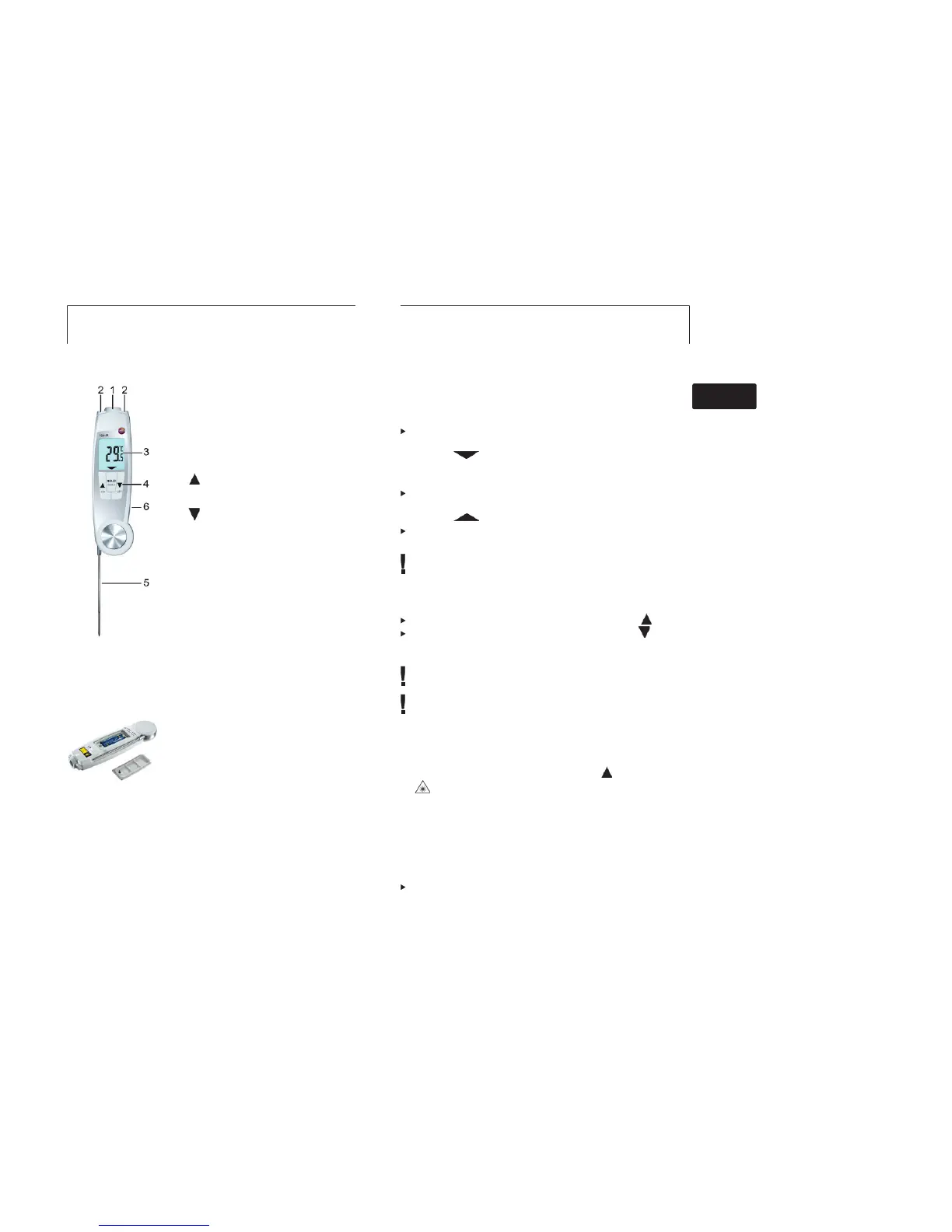
5. Product description
1 Infrared sensor
2 2-point laser
3 Display
4 Control keys:
· [ON]: switches the instrument on
· [OFF]: switches the instrument off
(hold button down)
· [
]: switches to IR measurement,
carry out IR measurement (hold button
down)
· [
]: switches to contact measurement
· [HOLD/MIN/MAX]: holds measuring
value, displays minimum/maximum
value, sends data to mobile device
(Bluetooth)
5 Fold-out immersion/penetration probe,
folding out the probe switches the
instrument on
6 Battery compartment (at the back)
6. Commissioning
Inserting batteries
1 Use a slotted screwdriver to undo the
screw on the battery compartment.
2 Open the battery compartment.
3 Insert batteries (2x type AAA). Observe
the polarity!
4 Close the battery compartment.
5 Tighten the screw.
preliminary
8. Settings 7
7. Operation
7.1 Switching on/off
Switching on via fold-out probe
Fold out the probe.
- All display segments light up briefly. Contact measurement is
enabled (
lights up).
Switching on/off via control keys
Switch the instrument on: press [ON].
- All display segments light up briefly. IR measurement is
enabled (
lights up).
Switch off the instrument: press and hold down [OFF] until the
display goes off.
The instrument switches off automatically if no key is pressed:
for 10 minutes when the probe is folded out, or for 1 minute
when the probe is folded up.
7.2 Changing the measuring mode
Contact measurement —> IR measurement: press [ ].
IR measurement —> contact measurement: press [ ].
7.3 Measuring
Observe the information on IR measurement/contact
measurement (see chapter below).
Bluetooth mode Cnl1 (Controlled Mode) is enabled: Display
shows bLE, all buttons are locked, instrument can be
controlled by external mobile device only.
IR measurement
- Instrument is on, IR measurement is enabled, Bluetooth mode
Cnl2 (Autonomous Mode) is enabled.
1 Start measurement: press and hold down [
].
2 Lock in on measurement object using the laser points:
laser points mark the edges of the measuring range.
- The current measuring value is displayed.
3 End measurement: release the key.
- Hold lights up. The last measuring value and min./max. value
are saved until the next measurement, or until the instrument is
switched off.
4 Send data to mobile device: press [HOLD / MIN / MAX].
Switch between min., max. and recorded value: press [HOLD /
MIN / MAX].
deenfresitptsvnl????



 To Next Page