3. Production description 23
3. Product description
This chapter provides an overview of the components of
the product and their functions.
3.1 Display and control
elements
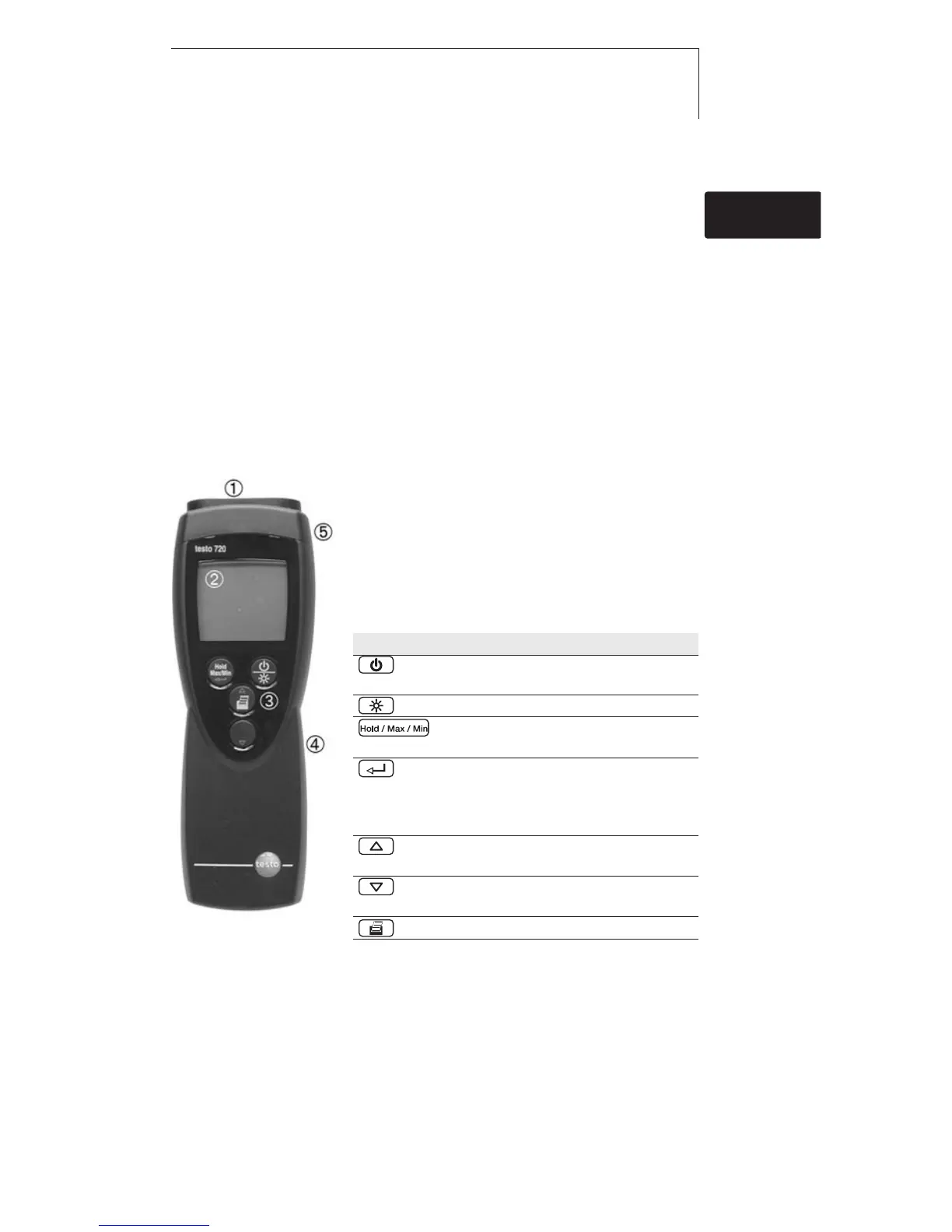
Overview
Infrared interface, probe socket
Display
Control buttons
Battery compartment (rear)
Service compartment (rear)
Button functions
Button Functions
Switch instrument on;
switch instrument off (press and hold)
Switch display light on / off
Keep reading, display
maximum/minimum value
Open/leave configuration mode (press
and hold);
In configuration mode:
Confirm input
In configuration mode:
Increase value, select option
In configuration mode:
Reduce value, select option
Print data
de
en
fresitptsvnl????



 To Next Page