5 Performing the measurement
23
5.8 Configuration
Fullscreen mode
The scale and the quick select button function indicator can be hidden.
Select
function. For how to proceed: see
Getting to
know the menu
, page
.
When Fullscreen Mode is activated, the scale and icon for the quick
select button are hidden. When a key is pressed, these elements are
displayed briefly.
SuperResolution (optional function)
SuperResolution is a technology to improve image quality. Each time an image
is recorded, a sequence of images is saved on the thermal imager and used to
calculate an image with four times more readings, with the aid of the PC
software (no interpolation). The geometric resolution (IFOV) is improved by a
factor of 1.6.
This function is available as an additional option (article no. 0554 7806)
and must be activated before it can be used.
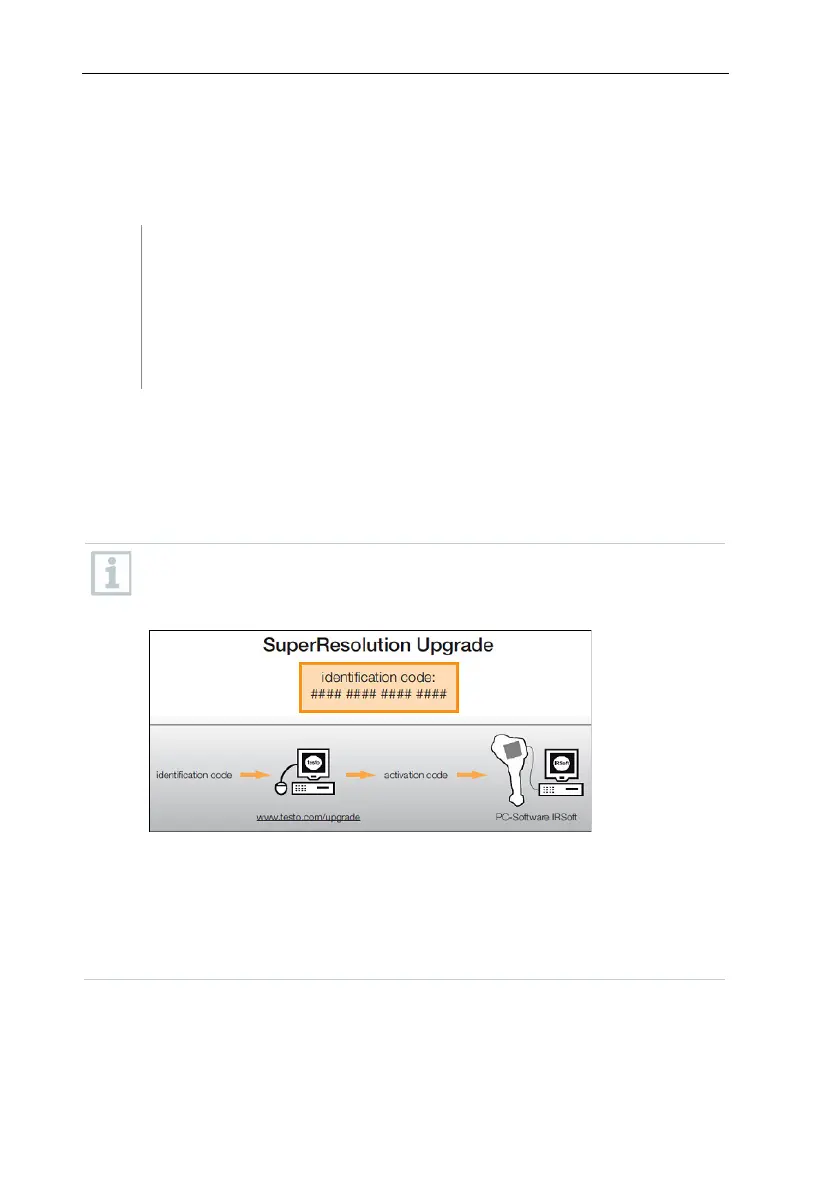
Activate function:
you will receive an envelope with an access code (identification code),
which you should enter on the website. When all necessary data has
been entered, an activation code is generated, and this can be used
to activate the function via the IRSoft PC software. Please observe the
installation requirements and steps on the website or in the email sent
to you.
To use the function, the following conditions must be fulfilled:
• The camera is hand-held.
• The objects to be imaged do not move.



 To Next Page