3. Getting started
3.1 Connecting
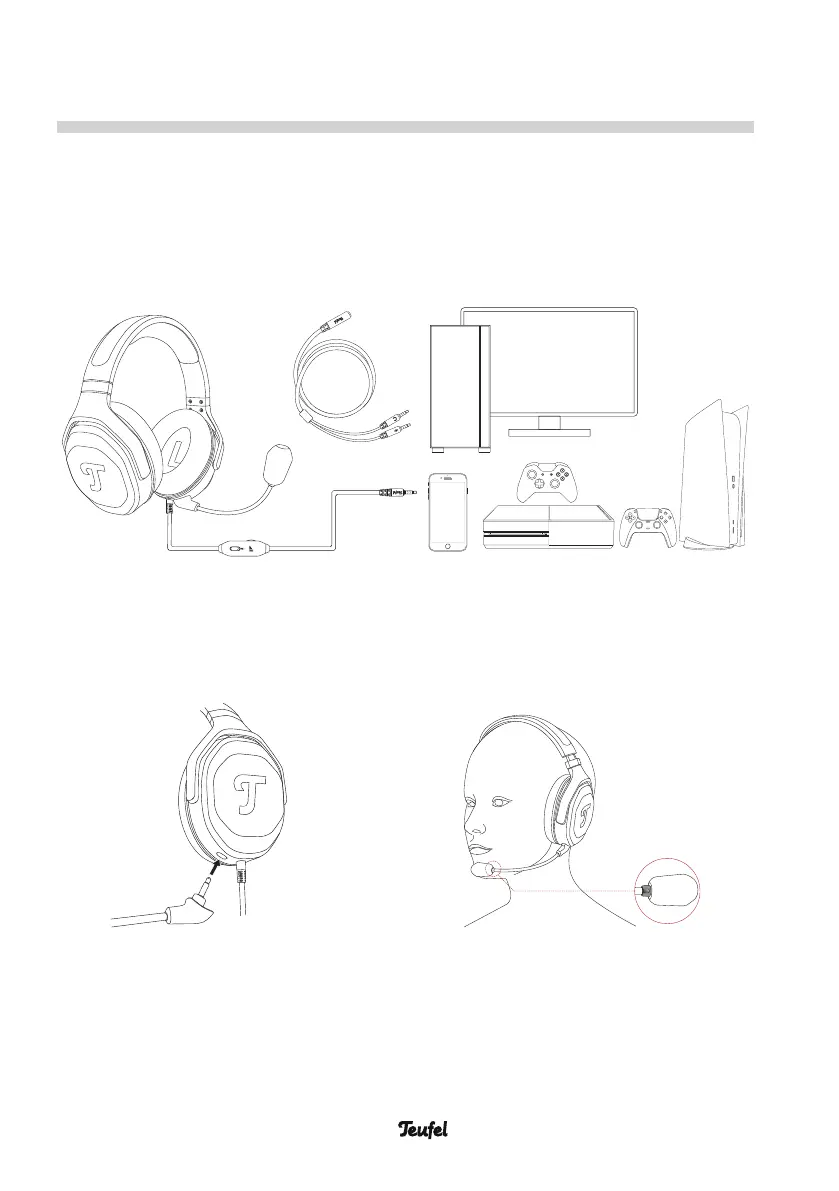
1. Connect the 3.5 mm plug of the headset to gaming controller, smartphone or
PC.
Hint: For some desktop PCs, the supplied Splitter Cable is needed to split the
microphone and the line output.
2. Connect the microphone to the microphone jack. Make sure to align the small
guide slot to insert the microphone. There is a little groove with a glossy finish
on the inside of the boom arm mic head. This needs to point in the direction of
the mouth and be about 2-4cm away to get an optimal signal to noise ratio.
3.2 Handling
Put your headset on so that both ears are firmly covered. If necessary, adjust the
headband length to your head size.
9 • CAGE ONE Gaming Headset


 To Next Page