Need help?
Do you have a question about the Teufel Concept S Series and is the answer not in the manual?
Provides general notes, disclaimers, and product information from the manual.
Instructions for retaining original packaging for potential returns or later servicing.
Information on where to find detailed technical specifications for the product.
Details the required information for effectively handling customer complaints.
Provides contact details for customer service and technical support inquiries.
Step-by-step instructions for opening the box and carefully removing components.
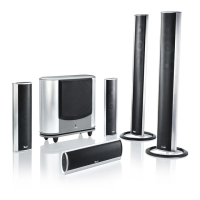
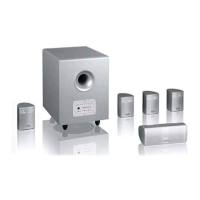
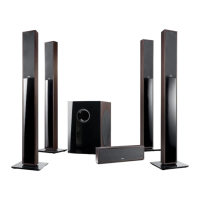
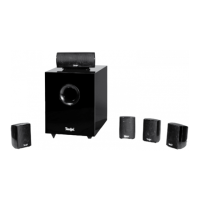
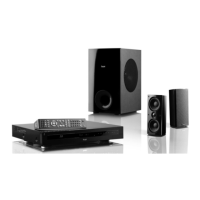
Details the specific items included in Concept S Set 1, Set 3, and Set 5.
Lists and describes optional accessories such as speaker cables and adapters to enhance sound quality.
Explains how to expand the 5.1 system for 6.1/7.1 AV receivers using additional satellites.
Provides general rules and advice for ideal sound placement in a home cinema setup.
Details the ideal positioning for the centre speaker for optimal voice playback and image synchronization.
Explains the recommended placement for front speakers, including height, distance, and magnetic screening.
Discusses the ideal and acceptable locations for the subwoofer within the room for optimal bass performance.
Provides guidelines for positioning rear speakers for optimal surround sound effect and listener experience.
Explains speaker setup for 6.1 systems, referencing the 5.1 configuration instructions.
Details the positioning for the rear centre speaker in a 6.1 system setup for balanced surround sound.
Explains speaker setup for 7.1 systems, referencing the 5.1 configuration instructions.
Details the positioning for rear centre speakers in a 7.1 system setup for optimal spatial audio.
Illustrates how to connect front, centre, and rear speakers to a 5.1 AV receiver.
Explains connecting the subwoofer to the AV receiver via a mono-cinch cable for bass output.
Guidance on configuring AV receiver settings for optimal performance with the Concept S.
Advice on adjusting subwoofer settings, including phase and frequency for proper integration.
Explains the functions of the remote control for volume and frequency adjustments.
Details how to adjust the subwoofer's volume and select cut-off frequency presets.
Explains the meaning of the lights and display on the subwoofer's front panel.
Describes the connection ports for inputting audio signals and outputting to another subwoofer.
Explains phase adjustment and the auto on/off power function of the subwoofer.
Troubleshooting steps if the subwoofer fails to produce sound, including fuse check.
Identifies common causes of buzzing noises and provides solutions.
Addresses issues with the 'Auto ON' mode not functioning correctly due to weak signals.
Offers solutions for interference from other remote controls affecting the subwoofer.
Provides instructions on how to clean the speaker and subwoofer safely and effectively.
Definition of an active subwoofer and its role in bass playback.
Explanation of the subwoofer's automatic power on/off feature and its operation.
Definition of the centre speaker's function in a home cinema system for dialogue playback.
Explains the function of decoders for processing multichannel audio signals.
Defines frequency and cut-off frequency settings for satellites and subwoofers.
 General
| Brand | Teufel |
|---|---|
| Model | Concept S Series |
| Category | Home Theater System |
| Language | English |

 To Next Page