EasyManua.ls Logo

Teufel Cinedeck - User Manual

Teufel Cinedeck
36 pages
Print Icon
To Next Page IconTo Next Page
Loading...
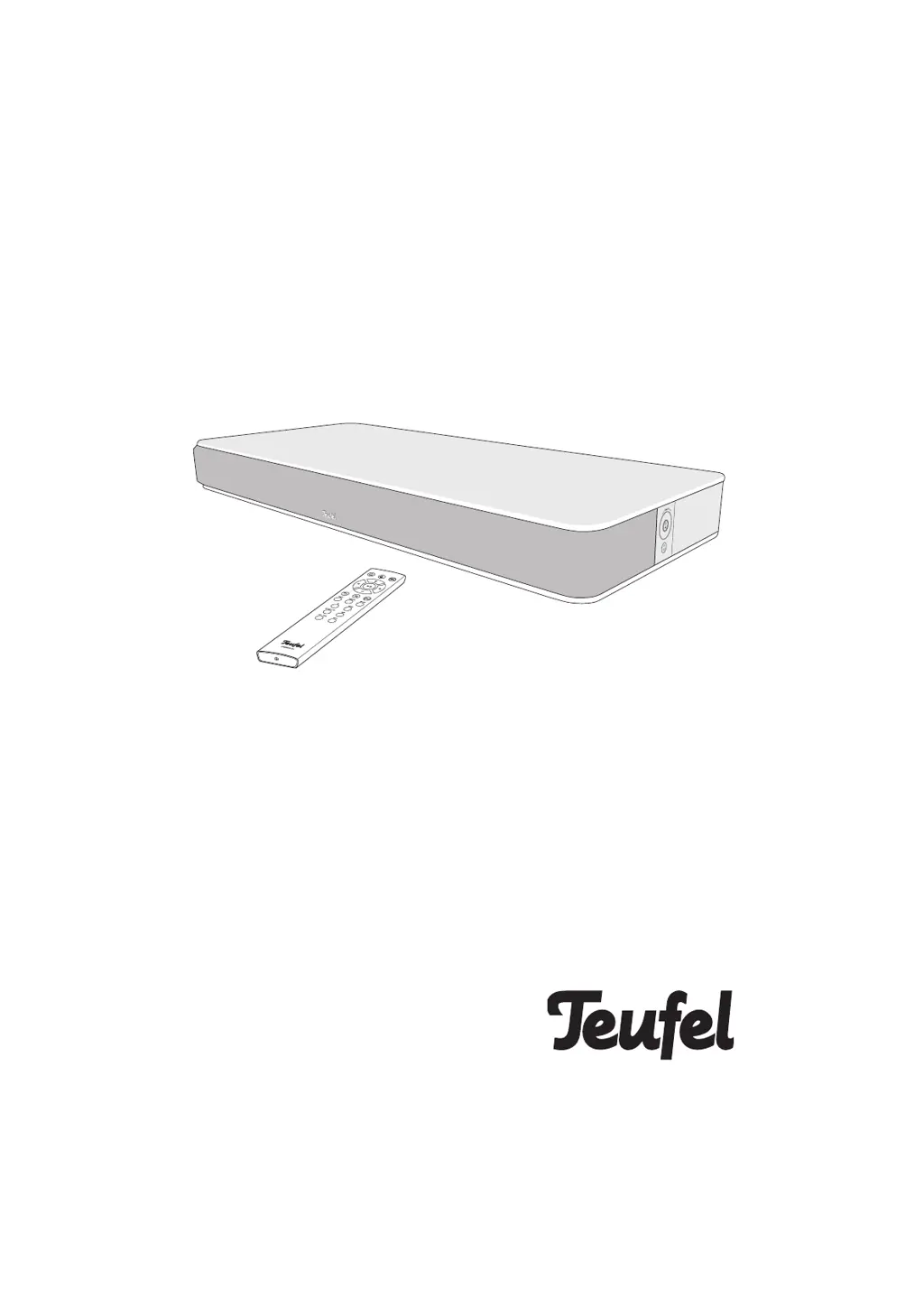
Cinedeck
All-in-one cinema system with integrated subwoofers
Technical Description And User
Manual
TeufelTeufel

Questions and Answers

Summary

General Notes and Information

Notice and Trademarks

General notices, reproduction restrictions, and lists of registered trademarks.

Customer Information

Original Packaging and Returns

Information regarding original packaging for product returns and its availability.

Handling Complaints

Details required for processing customer complaints, including invoice and serial numbers.

Customer Service Contact

Contact information for customer service, including telephone, fax, and website support.

For Your Safety

Proper Use and Terminology

Defines the intended use of the speaker and explains signal terms like WARNING, CAUTION, NOTICE.

General Safety Notes

Electrical and Setup Safety

Safety notes on electrical hazards, handling mains plugs, and ensuring a suitable setup location to prevent injury.

Child and Battery Safety

Child Safety Warnings

Safety warnings concerning children, suffocation risks from packaging, and unsupervised operation of equipment.

Battery Safety and Handling

Precautions regarding battery handling, chemical burns from acid, potential explosion, and hearing loss from loud volumes.

Product Use and Material Warnings

Magnetic Material and Improper Use

Warnings about magnetic material effects on implants and risks associated with improper product use, including fire hazards.

Surface Protection

Cautionary note regarding isolation pads potentially causing discolouration on sensitive surfaces like parquet.

Explanation of Symbols

Electrical, Usage, and Disposal Symbols

Explanation of symbols related to electrical safety, indoor use restrictions, and waste disposal of electronics and batteries.

Product Overview

Unpacking and Package Contents

Guidance on unpacking the device and verifying all package contents are present and undamaged.

Controls and Connections

Device Ports and Indicators

Description of the device's rear panel connections including POWER, USB, HDMI, OPTICAL, AUX, and indicators.

Remote Control

Remote Control Button Functions

Detailed explanation of the function of each button on the Cinedeck remote control.

Remote Control Battery Replacement

Battery Replacement Procedure

Step-by-step instructions for opening the battery compartment and replacing batteries in the remote control.

Device Location and Placement

Placement Considerations

Guidance on placing the device, including condensation warnings, carrying capacity, and optimal positioning for sound.

Connecting Sources

Cable Safety and Connection Types

Safety advice for cables and instructions for connecting various audio/video sources like TV, HDMI, Optical, Analogue, and USB.

Initial Setup and Power

Rear Speaker and Subwoofer Connection

Instructions for enabling the connection of wireless rear speakers and subwoofers via the 'Speaker' menu.

Power Supply Connection

Steps for connecting the device to the power supply using the enclosed mains cord.

First Activation and Language Setup

Procedure for the first activation, including setting the display language and confirming readiness.

Device Operation

Activating, Deactivating, and Standby

Instructions for activating, deactivating, and switching the Cinedeck to standby mode using device buttons or remote.

Automatic Activation (AutoOn)

Description of the automatic activation feature, which wakes the device upon receiving an audio signal.

Source Selection and Volume Control

Selecting Input Sources

Guide on how to select input sources using the remote control or device buttons.

Adjusting Audio Volume

Instructions for adjusting the volume using the device's volume wheel or remote control buttons.

Audio Adjustments and Modes

Muting and Sound Settings

How to mute the audio output and adjust Bass and Treble tone levels.

Sound Modes and Enhancements

Details on using the Equalizer, Night Mode, Dynamore technology, and Dolby Audio processing.

Menu Navigation

Using the Cinedeck Menu

Guide on how to access and navigate the Cinedeck's menu system to configure settings.

Sound Menu Options

Treble, Bass, Mode, Dynamore, Night

Detailed settings for Treble, Bass, Sound Modes, Dynamore, and Night mode within the Sound menu.

Advanced Sound Settings

Configuration options for Advanced Sound Settings, including Upmix and Dynamic Range Compression (DRC).

Speaker Menu Options

Sound Deck and Distance Settings

Settings for the Sound Deck, including distance measurement for optimal surround sound calibration.

Speaker Configuration

Rear Speaker and Subwoofer Setup

Instructions for pairing, setting levels, and distances for rear speakers and external subwoofers.

Speaker Calibration and Balance

Options for speaker calibration, including setting balance between speakers and using a test tone.

System Menu Settings

Display, Timer, and Language

System settings for display brightness, fade, standby timer configuration, and language selection.

Advanced System Settings for TV

Advanced system settings, including TV sound source selection and lip-sync adjustment for audio-visual synchronization.

System Menu and Reset Functions

AutoOn and Software Update

System settings for AutoOn sensitivity per source and information on checking/updating software.

System Reset Procedures

Procedures for resetting Bluetooth devices, wireless connections, or the entire system to factory defaults.

Bluetooth Connectivity

Bluetooth Pairing and Connection

Steps for establishing a Bluetooth® connection by pairing your external player or smartphone with the Cinedeck.

Bluetooth Usage Notice and Options

Notice regarding Bluetooth® usage locations and overview of available device-specific Bluetooth® options.

Managing Bluetooth Connections

Restoring and Terminating Connections

Instructions on restoring connections with previously paired devices and how to terminate an active Bluetooth® connection.

Audio Playback

Bluetooth Playback Control

How to control playback of audio via Bluetooth® and handle incoming calls on smartphones.

Party Mode Operation

Instructions for using Party Mode to play tracks from two external players in alternation.

USB Sound Card Functionality

Using as a Mac Sound Card

Guide to using the Cinedeck as a USB sound card on Mac OS X, including system preference setup.

Using as a Windows Sound Card

Guide to using the Cinedeck as a USB sound card on Windows 7, 8, and 10, including playback device selection.

Windows Sound Settings

Playback Device Configuration

Steps to select the Cinedeck as the default playback device within the Windows Sound control panel.

Software Update

Checking and Installing Software

Instructions for checking the current software version and installing new software updates for the Cinedeck.

Care and Cleaning

Device Maintenance and Cleaning

Guidelines for cleaning the device, including warnings about external influences and recommended cleaning agents.

Troubleshooting Common Issues

No Sound and Connectivity Problems

Solutions for common problems such as no sound, Bluetooth connection issues, and rear speaker output problems.

Technical Specifications

Dimensions, Weight, and Voltage

Provides technical data including dimensions, weight, and operating voltage of the Cinedeck.

Declaration of Conformity

Compliance and Radio Frequency Information

EU Declaration of Conformity and information on radio frequency bands and transmission power used by the product.

Teufel Cinedeck Specifications

General IconGeneral
BrandTeufel
ModelCinedeck
CategoryHome Theater System
LanguageEnglish

Related product manuals