EasyManua.ls Logo

Teufel Impaq 300 Blu-ray - User Manual

Teufel Impaq 300 Blu-ray
28 pages
Print Icon
To Next Page IconTo Next Page
Loading...
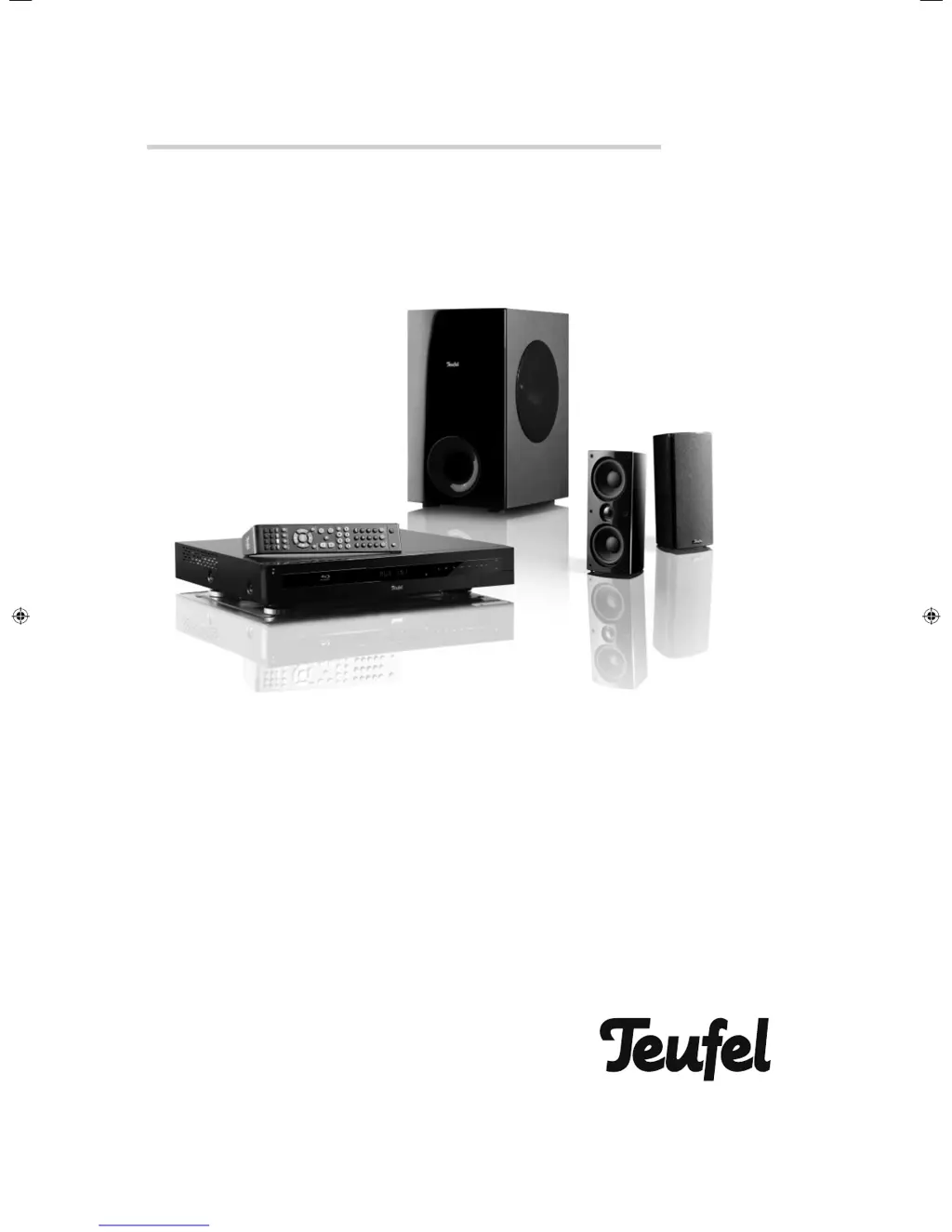
Technical Description and Operating Instructions
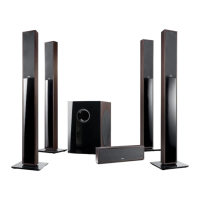
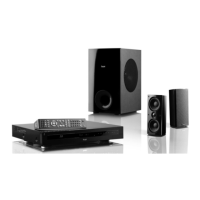
2.1 home cinema system with Blu-ray receiver
Impaq
®
300 Blu-ray
91768 GB 20120611.indd 191768 GB 20120611.indd 1 11.06.12 09:4111.06.12 09:41

Questions and Answers

  • K
    kerry15Aug 16, 2025
    How to fix Teufel Impaq 300 Blu-ray remote control not working?
    • D
      David DiazAug 16, 2025
      If your Teufel Home Theater System remote control isn’t working, first ensure there are no obstacles blocking the line of sight between the remote and the device. Then, make sure you're pointing the remote directly at the device. Check the batteries to see if they are inserted with the correct polarity, referring to the diagram in the battery compartment. If the batteries are old, replace them with new ones.
  • T
    Tracey OlsonAug 19, 2025
    What to do if my Teufel Impaq 300 Blu-ray Home Theater System device has stopped responding?
    • C
      charleneharrisAug 19, 2025
      If your Teufel Home Theater System has stopped responding, it might have crashed. To resolve this, unplug the power cord from the outlet. Wait for 5-10 seconds, and then plug it back in.
  • V
    Valerie HutchinsonAug 22, 2025
    Why is there no picture on my Teufel Impaq 300 Blu-ray Home Theater System?
    • M
      Melissa CruzAug 22, 2025
      If there is no picture on your Teufel Home Theater System, first ensure that your television is turned on. Then, check that you have selected the correct AV input on your TV (for example, HDMI 1). Verify the HDMI resolution set on the receiver; if needed, change it using the “Resolution” button. Also, check the cable connections to make sure they are correctly wired and not loose. If the connector cable is damaged, replace it.
  • K
    Kathryn OdomAug 26, 2025
    How to troubleshoot no audio output on Teufel Impaq 300 Blu-ray?
    • G
      Gary BennettAug 26, 2025
      If you're not getting any audio output or not all audio channels are audible on your Teufel Home Theater System, start by checking the speaker wiring to ensure it is correct. Then, verify the audio settings. Select the correct disc audio track by pushing the “Audio” button. Ensure the receiver is not muted by pushing the mute button. Finally, make sure the playback speed is set to normal by pressing the PLAY button.
  • L
    Lauren CrawfordAug 28, 2025
    Why won't my Teufel Impaq 300 Blu-ray play CDs, DVDs, or Blu-rays?
    • S
      Stephanie FowlerAug 29, 2025
      If your Teufel Home Theater System is not playing CDs, DVDs, or BDs, first ensure that a disc is inserted correctly with the labelled side up. Check that the region code of the DVD/BD corresponds to the device. Clean the disc if it's dirty or replace it if damaged. If there's condensation in the device, remove the disc and wait one to two hours before using the device again.
  • C
    Calvin HatfieldAug 31, 2025
    What to do if Teufel Impaq 300 Blu-ray Home Theater System shows 'NO DISC'?
    • D
      Daniel WhiteAug 31, 2025
      If your Teufel Home Theater System displays “NO DISC”, the CD/DVD/BD might be damaged, dirty, incompatible, or inserted incorrectly. Try cleaning or changing the disc.
  • G
    George WattsSep 3, 2025
    Why is the picture fuzzy or distorted on my Teufel Impaq 300 Blu-ray?
    • J
      jessicahansonSep 3, 2025
      If the picture on your Teufel Home Theater System is fuzzy or distorted, the CD/DVD/BD might be damaged or dirty; try cleaning or changing the disc. Ensure that the correct color standard (PAL/NTSC) is set. If interconnected devices are causing the fault, connect the devices directly.
  • R
    Raymond ThompsonSep 6, 2025
    Why is my Teufel Impaq 300 Blu-ray not working, and the display is dark?
    • L
      lmiddletonSep 6, 2025
      If your Teufel Home Theater System device doesn’t work and the display is dark, check that the power plug is properly seated. Also, check the function of the socket with another device.
  • J
    jasmine36Sep 9, 2025
    Why can't I skip tracks on my Teufel Home Theater System?
    • A
      Amanda NguyenSep 9, 2025
      If your Teufel Home Theater System is skipping to the next track or chapter, some DVDs/Blu-rays do not permit skipping, especially when a warning is displayed at the beginning; in this case, continue playback. Also, the DVD/Blu-ray might only have one chapter.
  • C
    campbelldesireeSep 12, 2025
    Why is the music distorted on my Teufel Home Theater System?
    • M
      Megan MartinSep 12, 2025
      If you experience no or distorted music playback on your Teufel Home Theater System, it might be due to the data storage device containing files in a format other than MP3 or WMA; delete the incorrect files. The file might also be damaged; in this case, delete or skip the file.

Teufel Impaq 300 Blu-ray Specifications

General IconGeneral
BrandTeufel
ModelImpaq 300 Blu-ray
CategoryHome Theater System
LanguageEnglish

Related product manuals