DVD Operation
42 43
Confirming the current PLAY mode on screen
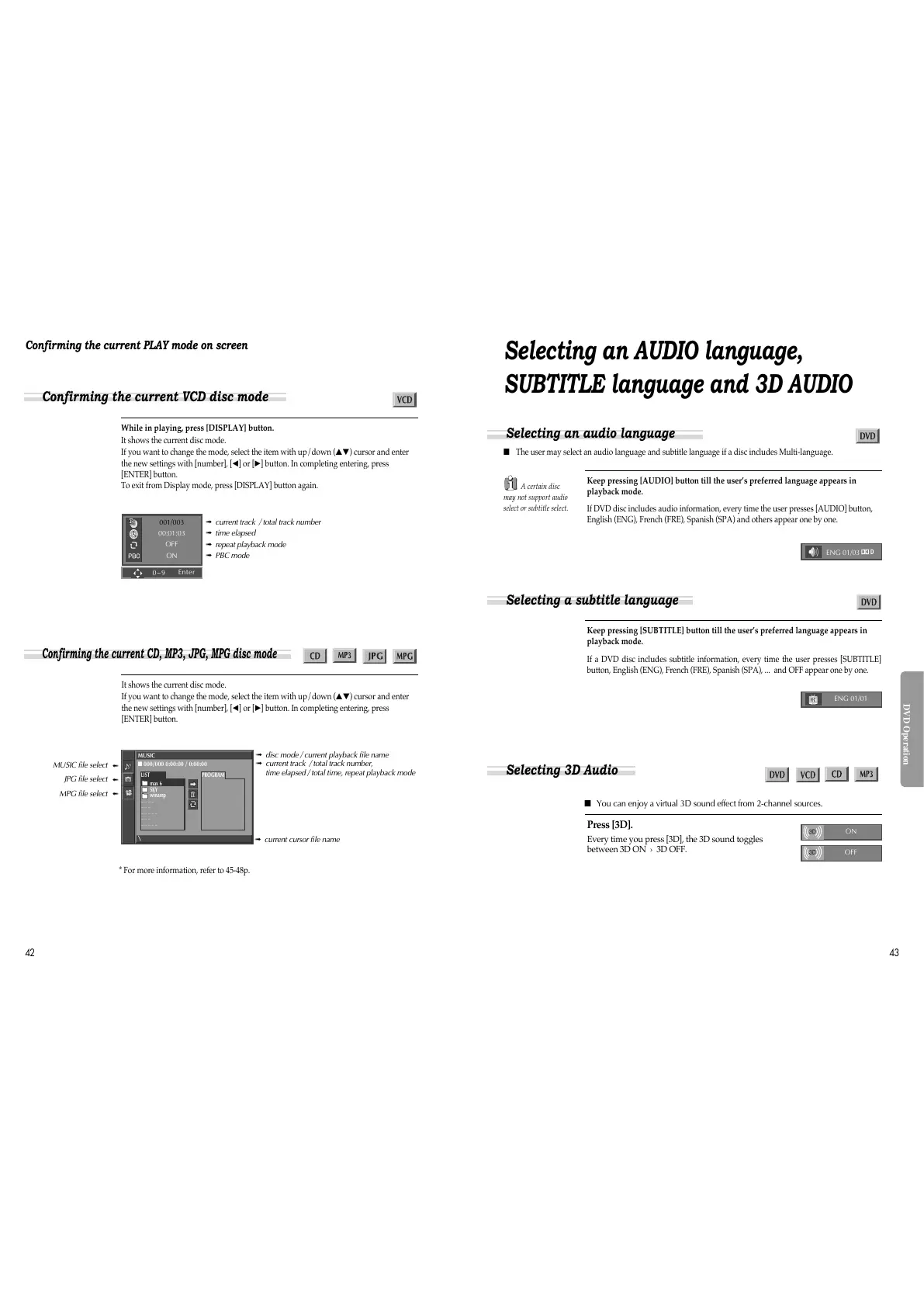
While in playing, press [DISPLAY] button.
It shows the current disc mode.
If you want to change the mode, select the item with up/down (
…†
) cursor and enter
the new settings with [number], [
œ
] or [
√
] button. In completing entering, press
[ENTER] button.
To exit from Display mode, press [DISPLAY] button again.
It shows the current disc mode.
If you want to change the mode, select the item with up/down (
…†
) cursor and enter
the new settings with [number], [
œ
] or [
√
] button. In completing entering, press
[ENTER] button.
➟ current track / total track number
➟ time elapsed
➟ repeat playback mode
➟ PBC mode
001/003
00:01:03
OFF
ON
➟ disc mode / current playback file name
➟ current track / total track number,
time elapsed / total time, repeat playback mode
MUSIC
■ 000/000 0:00:00 / 0:00:00
\
PROGRAMLIST
max 6
SKY
winamp
_ _ _ _
_ _ _
_ _ _ _ _
_ _ _
_ _ _ _ _
Confirming the current VCD disc mode
Confirming the current CD, MP3, JPG, MPG disc mode
MUSIC file select
JPG file select
MPG file select
➟
➟
➟
➟ current cursor file name
* For more information, refer to 45-48p.
Selecting an AUDIO language,
SUBTITLE language and 3D AUDIO
■ The user may select an audio language and subtitle language if a disc includes Multi-language.
Keep pressing [AUDIO] button till the user’s preferred language appears in
playback mode.
If DVD disc includes audio information, every time the user presses [AUDIO] button,
English (ENG), French (FRE), Spanish (SPA) and others appear one by one.
Keep pressing [SUBTITLE] button till the user’s preferred language appears in
playback mode.
If a DVD disc includes subtitle information, every time the user presses [SUBTITLE]
button, English (ENG), French (FRE), Spanish (SPA), ... and OFF appear one by one.
A certain disc
may not support audio
select or subtitle select.
ENG 01/03
ENG 01/01
Press [3D].
Every time you press [3D], the 3D sound toggles
between 3D ON › 3D OFF.
■ You can enjoy a virtual 3D sound effect from 2-channel sources.
ON
OFF
Selecting an audio language
Selecting a subtitle language
Selecting 3D Audio
0~9
Enter



 To Next Page