Product information
8 9
Identification of Controls
Timer Recording Standby
Timer Recording Error
Recording in Progress
Timer Recording in
Progress
Recording Pause
Repeat one chapter
[DVD]
Repeat track
[VCD]
Repeat title
[DVD]
Repeat ALL
[VCD]
Repeat a defined period
from A
[DVD, VCD]
Repeat a defined period
from A to B
[DVD, VCD]
- RECORDING MODE - - REPEAT MODE -
DVD playback
Fast playback
Fast reverse playback
Slow playback
Pause picture
- DVD OPERATION -
VCR playback
Fast forward
Rewinding
Fast playback (CUE)
Fast reverse playback
(REVIEW)
Slow playback
Still picture
Stop
Child Lock
- VCR OPERATION -
Operation Display Window
Identification of Controls
!
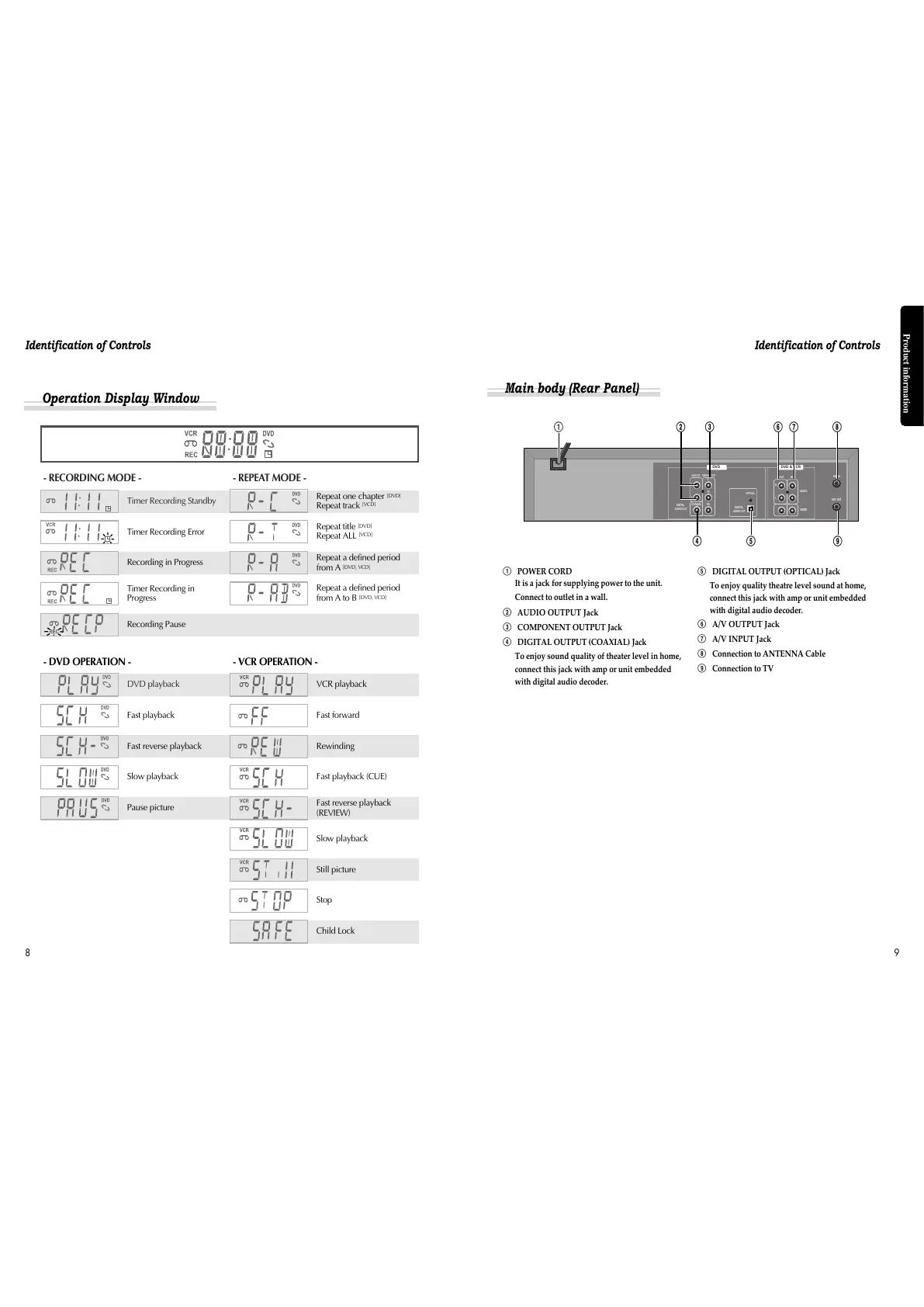
POWER CORD
It is a jack for supplying power to the unit.
Connect to outlet in a wall.
@
AUDIO OUTPUT Jack
#
COMPONENT OUTPUT Jack
$
DIGITAL OUTPUT (COAXIAL) Jack
To enjoy sound quality of theater level in home,
connect this jack with amp or unit embedded
with digital audio decoder.
%
DIGITAL OUTPUT (OPTICAL) Jack
To enjoy quality theatre level sound at home,
connect this jack with amp or unit embedded
with digital audio decoder.
^
A/V OUTPUT Jack
&
A/V INPUT Jack
*
Connection to ANTENNA Cable
(
Connection to TV
Main body (Rear Panel)
!
@ # ^ & *
$ % (



 To Next Page