- 52 -
Finding a Numeric Derivative
Finding a Numeric DerivativeFinding a Numeric Derivative
Finding a Numeric Derivative at x = A
at x = A at x = A
at x = A
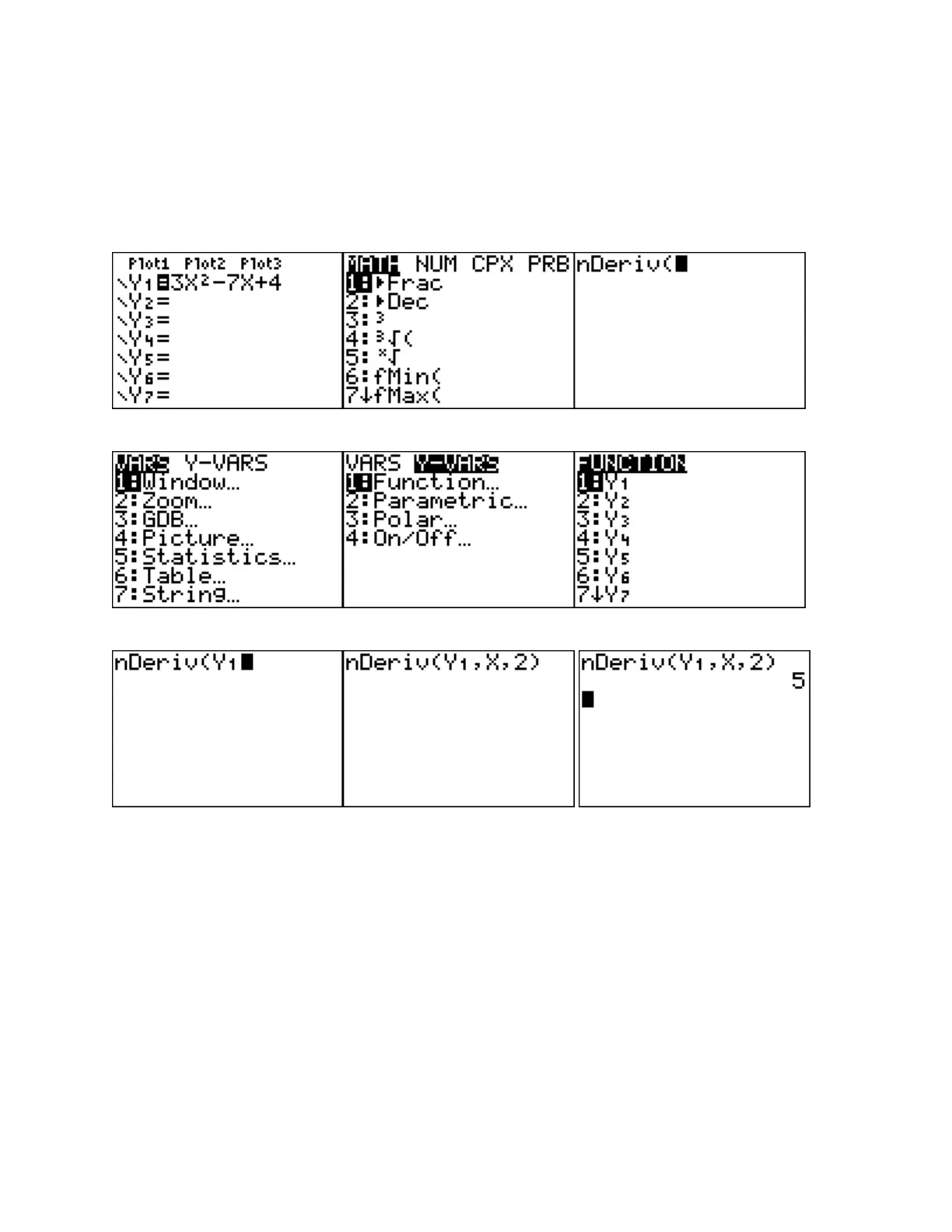
First, enter the function in
Y=
as Y1
.
Then return to the main screen. Press
MATH, 8, VARS,
Y-VARS, FUNCTION, Y1, (comma), X, A.
Close parentheses and press
ENTER
.
Example: Find
f if
2
f x x x
Enter function
MATH 8
VARS Y-VARS FUNCTION
,
ENTER
Enter
, X,2) ENTER
Note: If the function is stored in a different line than
Y1,
cursor down to the appropriate
function line and press
ENTER
.




 To Next Page