
 Need help?
Do you have a question about the texet DPF-1007 and is the answer not in the manual?
Warns of risk from non-insulated dangerous voltage within the enclosure.
Alerts user to important operation and maintenance instructions in the manual.
Caution against exposing unit to rain or moisture to reduce fire/shock risk.
Advise against removing case; refer servicing to qualified personnel for safety.
Lists all items included in the product package.
Step-by-step guide on how to set up the digital picture frame.
Instructions for connecting the device to a computer via USB.
How to play slideshows with background music.
How to view and set the calendar and clock.
Answers to common questions about the digital picture frame.
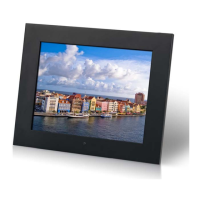
The TEXET DPF-1007 is a 10.4-inch multimedia digital picture frame designed to display digital photos, play MP3 music, and show video files without the need for a computer or internet connection. This device offers a user-friendly experience with its on-screen display and credit card-style remote control, allowing for easy navigation and access to all functions.
The primary function of the DPF-1007 is to display digital pictures in JPEG format. It supports a wide range of popular memory card formats, including Secure Digital (SD), MultiMedia Card (MMC), Memory Stick (MS), XD Cards, and CompactFlash (CF). Additionally, it can read files from a USB Flash drive via its USB host port. The frame boasts 1GB of internal memory, providing ample space to store files directly on the device.
Beyond still images, the DPF-1007 is capable of playing MP3 music files through its integrated speakers, allowing users to enjoy audio alongside their photo slideshows. It also supports MPEG4 video files, including Motion JPEG (avi) format, commonly used by digital cameras. This versatility makes it a comprehensive multimedia display solution for personal use.
The device is designed to be compatible with most digital cameras' stored JPEG images and motion JPEG files, ensuring broad usability. It supports image files up to 12 Mega Pixels, making it suitable for displaying high-resolution photographs.
Getting started with the DPF-1007 is straightforward. Users simply need to remove a memory card from their camera and insert it into the appropriate slot on the frame. Alternatively, files can be copied to a USB flash drive and inserted into the USB host port. The device will automatically recognize and display the stored content.
The main menu, accessible upon startup, provides options to play files from internal memory, various memory card types (SD/MMC/MS/xD, CF), or a USB flash drive. It also includes settings for system configuration and a calendar/clock display with an alarm function. Icons for different memory card functions appear automatically on the MENU screen when a corresponding card is inserted and disappear when removed, providing a dynamic and intuitive interface.
When viewing pictures, the frame displays photo thumbnails, allowing users to navigate through their images using UP/DOWN/LEFT/RIGHT arrows. If a folder is highlighted, pressing "Enter" will open it. Pressing "Enter" again on a photo thumbnail will display the image in full-screen (pause mode), and pressing "Play" will initiate a slideshow.
During a slideshow or full-screen photo display, the "OSD" button on the remote control brings up a menu with several options:
For video playback, users select the "MOVIE" option from the main menu. A list of movie files appears on the left side of the screen, with a preview window and information on the right. Up/Down arrows select the movie, and "Enter" starts playback. Similar to photo viewing, the OSD button during video playback offers controls such as:
Listening to MP3 music follows a similar process, with users selecting the "MUSIC" option. A list of music files is displayed, along with a frequency chart and status bar. Up/Down arrows select the music file, and "Enter" begins playback. Volume can be adjusted using the VOL+ and VOL- buttons on the remote, and playback can be paused or stopped.
The DPF-1007 also supports playing a slideshow with background music. To do this, users ensure they have at least one picture and one MP3 file on their selected media. Selecting the "FILE" option from the main menu and then a picture file, followed by pressing "Play" on the remote, will start an audio slideshow. The OSD menu during an audio slideshow provides similar controls to a regular photo slideshow, including navigation, playback control, rotation, stop, zoom, and volume adjustment.
File management features allow users to copy and delete files on their memory card, USB drive, or internal memory. By selecting the "FILE" option and highlighting desired files, users can access the "Copy" and "Delete" functions via the "OSD" button. Copying involves selecting a destination folder, while deleting simply removes the selected file.
The "SETUP" option in the main menu provides extensive customization:
The calendar/clock display, accessible via the "Calendar" option, shows the current date and time. If the alarm is enabled, it will also display the alarm time. A picture slideshow will simultaneously run in a preview window on the right side of the screen.
The manual emphasizes several safety precautions and maintenance tips to ensure the longevity and proper functioning of the DPF-1007:
The DPF-1007 is designed for ease of use and durability, with clear guidelines for operation and care to maximize user satisfaction and product lifespan.
 General
| Resolution | 1024 x 600 pixels |
|---|---|
| USB Port | Yes |
| Image Formats Supported | JPEG |
| Power Supply | AC Adapter |
| Aspect Ratio | 16:9 |
| Maximum SD/SDHC Card Size | 32 GB |
| Connectivity | USB |
| Display Size | 10.1 inches |
| Memory Card Support | SD, SDHC, MMC |
| Video Formats | AVI, MPEG |
| Audio Formats | MP3 |

 To Next Page