**** ****
**** ****
- Installer Manual -
24
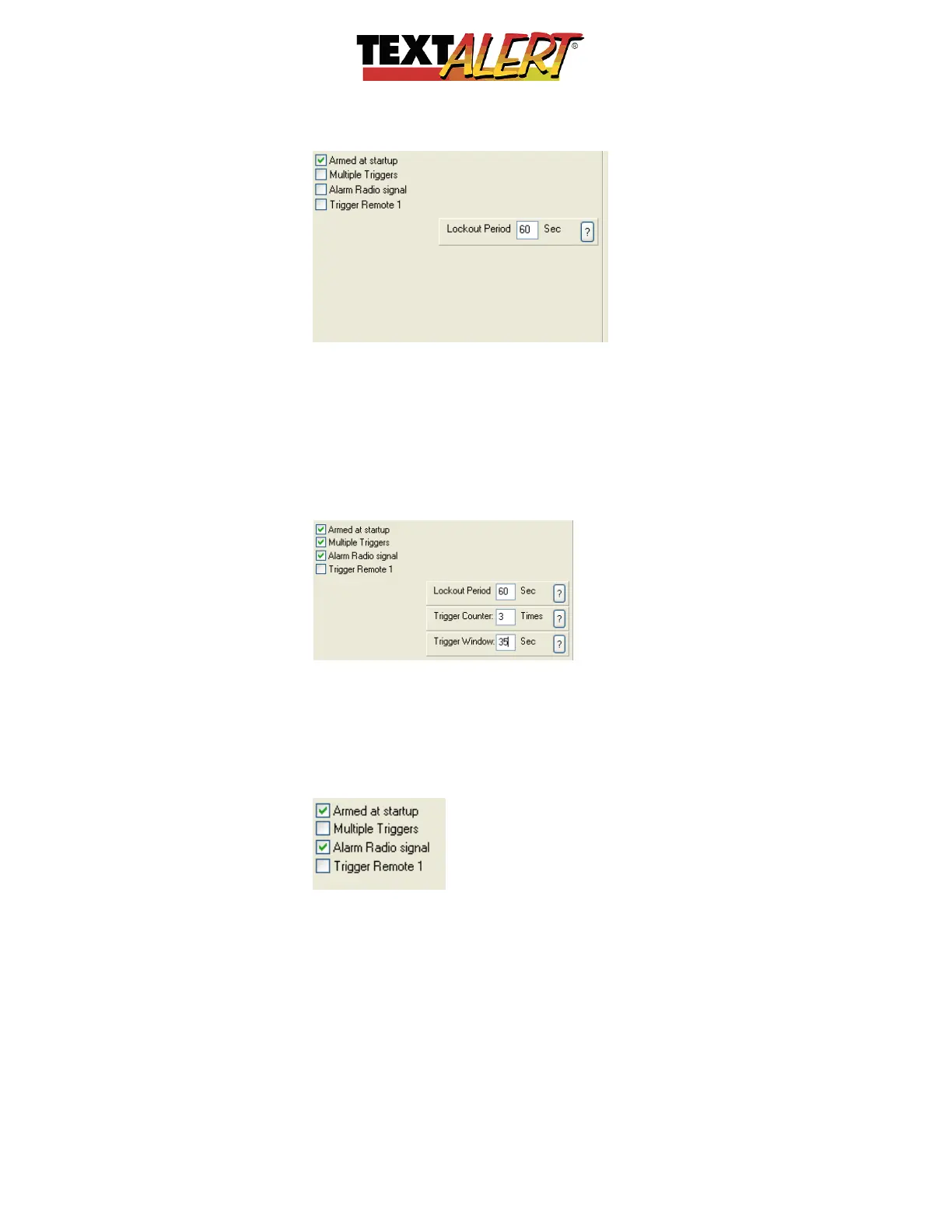
“Armed at Start-up”; This option will arm the zone the moment the unit is switched on.
“Multiple Triggers”; When you’re using a “Single sensor” setting, the “Trigger Counter”
option will appear. This option is excellent for any area where an intruder will spend time,
i.e., at a doorway or window (as they struggle to gain access) or in a computer server room
where they’re trying to unhook equipment.
As soon as you select “Multiple Triggers”, a “Trigger Counter” and “Trigger Window” set of
options will appear.
In the example above, you would be instructing TextAlert that it must only send a message
if the sensor triggers at least 3 times in 35 seconds. You can change these values to
match your specific needs for any zone and circumstance.
“Alarm Radio signal” TextAlert will output to an armed response RF radio antenna that
will send a signal directly to armed response control room.
“Trigger Remote 1”; If you select this option, an image will appear that allows you to
select either Blue, Red, or Yellow. A hand held remote will cause the TextAlert to send the
SMS when the programmed colored button is pressed. This enables a hand held remote
to function like a panic button, for example:


 To Next Page
 Loading...