1312
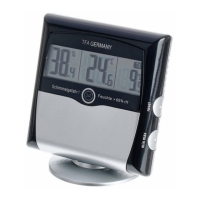
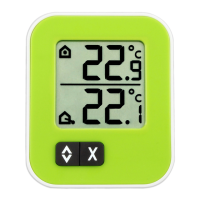
Mould RADAR thermo-hygrometer
4. Functions
• Indoor temperature
• Relative air humidity indoor
• Maximum and minimum values
• Dew point
• 24-hour mould radar
• Audible and visual alarm function
5. For your safety
• This product is exclusively intended for the field of application described above. It should
only be used as described within these instructions.
• Unauthorized repairs, modifications or changes to the product are prohibited.
• This product is not be used for medical purpose or for public information, it is only intend-
ed for home use.
Caution!
Risk of injury:
• Keep this instrument and the batteries out of the reach of children.
• Batteries must not be thrown into a fire, short-circuited, taken apart or recharged. Risk of
explosion!
• Batteries contain harmful acids. Low batteries should be changed as soon as possible to
prevent damage caused by leaking.
• Never use a combination of old and new batteries together, or batteries of different types.
• Wear chemical-resistant protective gloves and glasses when handling leaking batteries.
Important information on product safety!
• Do not place your product near extreme temperatures, vibrations or shocks.
• Protect it from moisture.
6. Elements
A: Display:
A 1: 24-hour mould radar
A 2: Indoor temperature (°C/°F) and humidity / Maximum and minimum values / Dew point
A 3: Smiley for the comfort level
Mould RADAR thermo-hygrometer
B: Front - Sensor buttons:
B 1: min/max button
B 2: Taupunkt (Dew point) button
C: Back - Slide switch
C 1: Alarm sound (Speaker symbol)
C 2: Animation (Arrow symbol)
D: Housing:
D 1: Suspension device
D 2: Battery compartment
D 3: Switch Taupunkt / dew point (inside the battery compartment)
D 4: Holder for the support
D 5: Warning LED when risk of mould
7. Getting started
• Remove the protective foil from the display.
• Open the battery compartment and remove the battery insulation strip.
• The device will alert you with a beep and all LCD segments will be displayed for about
two seconds.
• The indoor temperature, the humidity and the corresponding smiley symbol appear on
the display.
• The unit is ready for use.
• Attention: Do not attach the support until the settings for the animation and alarm func-
tion are complete. The two slide switches are covered by the support.
8. Operation
8.1 Display of the 24 hours mould radar
• The device measures the relative humidity every 30 seconds and calculates from these
values every 10 minutes the average value.
• The innovative mould radar display shows graphically on a 24 hour timeline the maximum
averages that were reached.
→ The time “0h” represents the value of the current hour, “-1” the last hour “-3” of the past
2-3 hours, "-6" of the past 4-6 hours, “-12” of the past 7 -12 hours and “-24” of the past
13-24 hours.
→ The relative humidity values are shown in a grid of 10 from 15 to 85%. More than 65%
RH means risk of mould.
TFA_No. 30.5032_Anleitung_05_14 28.05.2014 13:42 Uhr Seite 7


 To Next Page
 Loading...