3130
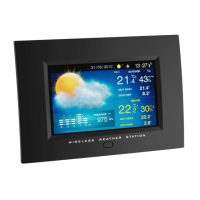
Wireless weather station with photo viewer
9. Specifications
Model
VIEWER Wireless Weather station with photo viewer
Colour monitor 7“ TFT analogue
Resolution 800 x 480 Pixel
Photo format JPEG
Memory SD, MMC (up to 32 GB)
USB Host Up to 32 GB
Clock DCF
Measuring range
Temperature indoor 0°C… +50.0°C (32°F…122°F)
Temperature outdoor -20°C… +60.0°C (-4°F…140°F)
Shows “LL” Below measuring range
Shows “HH” Above measuring range
Humidity in/outdoor 20%RH ~ 99%RH
Energy supply
Main energy AC-DC Adapter 5,0V
IR remote control 1x CR2025
Remote sensor 2x 1,5 V AAA
Power consumption Ø 7.5W
Transmission
Frequency 868 MHz
Channel max. 3
Transmission (open area) 30 Metres
Transmission interval approx. 20 s
Equipment
AC-DC power adapter 1 piece
IR remote control 1 piece
Remote sensor 1 piece
Batteries 2x 1.5 V AAA for sensor
1x CR2025 for IR remote control
Wireless weather station with photo viewer
• Clean it with a soft damp cloth. Do not use solvents or scouring agents.
• Avoid placing the instrument near interference sources/metal frames such as comput-
er or TV sets.
• If the instrument does not work properly, set the instrument in Setup menu back to
the default setting and a new setting has to be made. Change the batteries in the
transmitter.
8. Liability Disclaimer
• The product is not a toy. Keep it out of reach of children.
• The product is not to be used for medical purpose or for public information, but is
determined for home use only.
• The specifications of this product may change without prior notice.
• No part of this manual may be reproduced without written consent of TFA Dostmann.
• Improper use or unauthorized opening of housing will mean the loss of warranty.
DECLARATION OF CONFORMITY
Herewith we declare, that this wireless transmission device does comply with the essentials requirements of
R&TTE Directive 1999/5/EC.
A copy of the signed and dated Declaration of Conformity is available on request via info@tfa-
dostmann.de.
TFA Dostmann GmbH & Co. KG, D-97877 Wertheim / www.tfa-dostmann.de
TFA_No. 35.1104 Anleitung 12.05.2010 14:35 Uhr Seite 16


 To Next Page