2928
LARGO – Wireless weather station
10. Temperature and humidity
10.1 Maximum and minimum values
• Press the + button in normal mode.
• MAX appears on the display.
• You can now get the indoor and outdoor highest values for the temperature and humidity dis-
played since the last reset.
• Press the + button again.
• MIN appears on the display.
• You can now get the indoor and outdoor lowest values for the temperature and humidity dis-
played since the last reset.
• Press the + button once more, to go back to the current values display.
• To clear the recorded maximum or minimum readings manually, press and hold the + button for
two seconds while the maximum or minimum values are displayed.
10.2 Trend arrows
• The trend arrows indicate whether the values for temperature and humidity are currently
increasing, steady or decreasing.
10.3 Comfort level
• The indication of the indoor climate comfort levels are displayed as follows:
Display Measuring range - temperature Measuring range - humidity
DRY < 39% RH
COMFORT 20 °C… 28 °C 40% RH…70% RH
WET > 70% RH
No indication <20°C, >28°C 40%RH…70%RH
11. Outdoor temperature alarm
11.1 Alarm limits setting
• Choose the respective transmitter by pressing the CH button.
• Press and hold the – button in normal mode.
LARGO – Wireless weather station
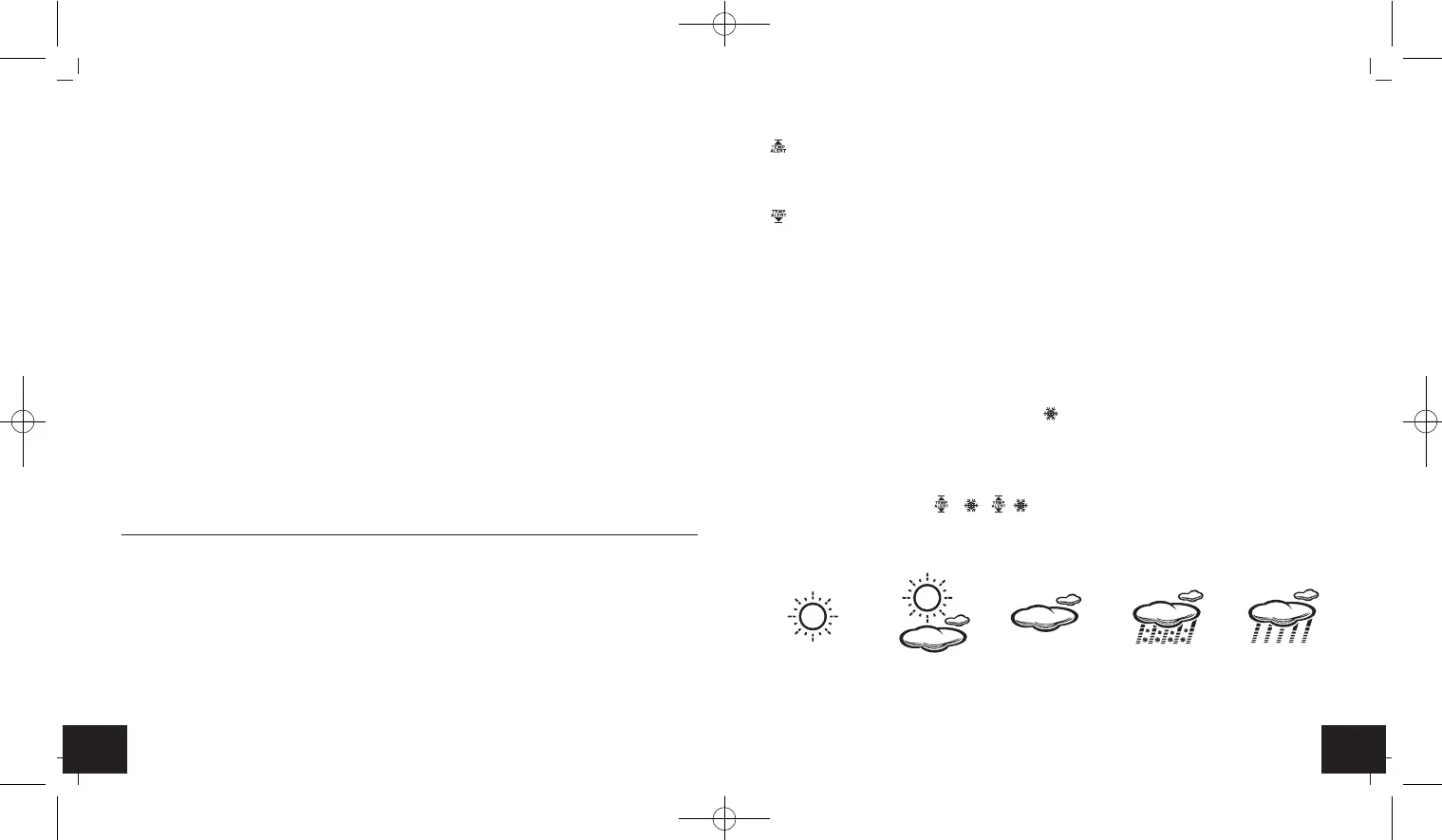
• is displayed and 70°C (default) or the last adjusted upper outdoor temperature limit flashes
on the display.
• Press the + or – button to set the desired upper limit.
• Confirm with the MODE button.
• is displayed and -50°C (default) or the last adjusted lower outdoor temperature limit flashes
on the display.
• Press the + or – button to set the desired lower limit.
• Confirm with the MODE button.
• In case of an alert, the corresponding symbol will be flashing and an alert will sound every
minute.
• Press the SNOOZE/LIGHT button to stop the alarm.
• The temperature display will continue flashing until the measured temperature is inside the
alarm limits.
11.2 Frost alarm
• On the display appears the symbol for frost , when the outdoor transmitter shows an out-
door temperature between -1°C...3°C.
11.3 Activate and deactivate the temperature and frost alarm
• Press the – button in normal mode.
• The corresponding symbol , , or no alarm symbol will appear on the display.
12. Weather forecast
• The weather station has five different weather symbols: sunny, slightly cloudy, cloudy, rain +
snow (outdoor temperature < 0°C), rain.
TFA_No. 35.1145_Anleitung_05_18 23.05.2018 10:30 Uhr Seite 15


 To Next Page
 Loading...