2322
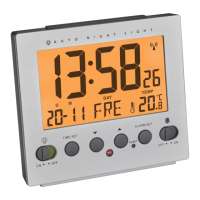
Radio-controlled alarm clock with thermometer
Radio-controlled alarm clock with thermometer
• You can activate the snooze function by pressing the SNOOZE/
LIGHT button on the top.
• Zz is flashing and the alarm will be interrupted for 4 minutes.
7.5 Backlight
•
Press SNOOZE/LIGHT button. The backlight will light for 5 seconds.
• The unit is provided with a light sensor to turn on the light
automatically at dark. Use AUTO-LIGHT switch at the rear side to
activate or deactivate the backlight.
8. Care and maintenance
• Clean your instrument with a soft damp cloth. Do not use sol-
vents or scouring agents
•
Remove the batteries if you do not use it for a long period of time.
• Keep the instrument in a dry place.
8.1 Battery replacement
• Replace the batteries when the functions of the instrument
become weak.
• Open the battery compartment and insert two new batteries 1,5
V AA.
• Make sure the polarity is correct.
• Close the battery compartment again.
7.2 12 and 24 hours system indication
• Press ▲ / 12/24 button in normal mode to choose 12 HR or 24 HR
system.
• In 12 HR system AM or PM appears on the display.
7.3 °C/°F indication
• Press ▼ / °C/°F button to change between Celsius mode or
Fahrenheit mode as temperature unit.
7.4 Setting of the alarm time
• Press MODE/SET button.
• “AL” appears on the display.
• Hold MODE/SET button.
• The hour digit is flashing. Press ▼ or ▲ button to adjust hours.
• Press MODE/SET button again and set minutes in the same way.
• By holding ▼ or ▲ button, you will enter fast mode.
• Confirm with MODE/SET button.
• To activate/deactivate the alarm function slide the ALARM
switch to ON/OFF.
• appears/disappears on the display.
• Once the alarm starts to ring (3 different sounds), you can stop
the alarm by using any button.
TFA_No. 60.2503 Anleitung_04_13 12.04.2013 10:03 Uhr Seite 12



 To Next Page