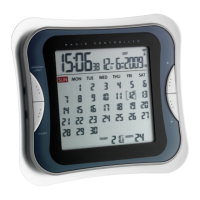
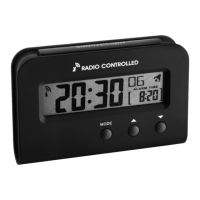
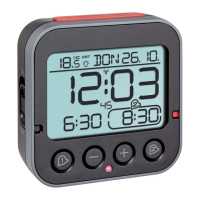
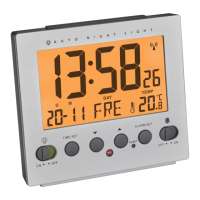
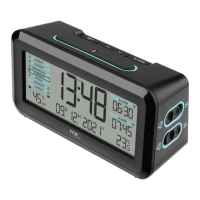
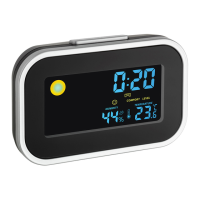
Radio controlled alarm with monthly calendar
1110
3. Getting started
• Remove the insulation strip.
• When the alarm clock is powered up, a short beep will sound and all LCD segments
will light up for about 2 seconds.
• The unit is now ready to use.
• You can also use a power adapter. Insert the adapter into the jack (U). Connect the
power adapter (4.5 V AC/DC) to a wall socket. The unit is now ready to use.
Important! Make sure that your household voltage is 230V! Otherwise your clock
may be damaged.
• Pull off the protection foil on the display.
• The clock will scan the DCF frequency signal and the DCF symbol flashes on the
LCD. When the signal is received successfully after 3-5 minutes, the radio con-
trolled time and the DCF symbol appears permanently.
• If the reception fails, scanning stops and will be repeated at 4.00 h, 5.00 h and 6.00 h.
• The clock is able to scan the time signal manually by holding button 3 seconds.
• In case the clock cannot detect the DCF-signal (for example due to disturbances,
transmitting distance, etc.), the time can be set manually. The clock will then work
as a normal quartz clock. (see 4.1 Setting of clock, time zone and calendar).
Radio controlled time reception:
The time base for the radio controlled time is a Caesium Atomic Clock operated by
the Physikalisch Technische Bundesanstalt Braunschweig which has a time deviation
of less than one second in one million years. The time is coded and transmitted from
Mainflingen near Frankfurt via frequency signal DCF-77 (77.5 kHz) and has a trans-
mitting range of approximately 1500 km. Your radio-controlled clock receives this sig-
nal and converts it to show the precise time in summer or wintertime. In Daylight Sav-
ing Time “DST” is shown on the display. The quality of the reception depends
greatly on the geographic location. In normal cases, there should be no reception
problems within a 1500 km radius around Frankfurt.
Please take note of the following:
• Recommended distance to any interfering sources like computer monitors or TV
sets is a minimum of 1.5 - 2 metres.
• Within ferro-concrete rooms (basements, superstructures), the received signal is
naturally weakened. In extreme cases, please place the unit close to a window
and/or point its front or back towards the Frankfurt transmitter.
Radio controlled alarm with monthly calendar
1. Features
• Highest precision radio-controlled clock
• With time zone and manual setting option
• Alarm with snooze function
• Date and calendar week
• Calendar with memory function
• Indication of indoor temperature
• Backlight
2. Elements
LCD (Fig. 1)
A: Clock
B: Alarm symbol / Snooze symbol
C: Date
D: DCF signal
E: Calendar (actual day in brackets)
F: Indoor temperature
G: Calendar week
Buttons(Fig. 1+2)
H: SNOOZE/LIGHT button
I: HOME button
J: ▲ button
K: ▼ button
L: RESET button
M:MODE/SET button
N: + / 12/24 button
O: button
P: - button
Q: AL ON/OFF button
Housing (Fig. 2)
R: Battery Compartment
S: Stand (fold out)
T: Wall Mount Hole
U: Jack for the power adapter
TFA_No. 60.2504 Anleitung 10.07.2009 14:11 Uhr Seite 6


 To Next Page
 Loading...