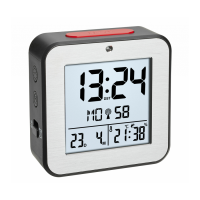
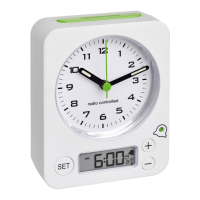
Radio controlled alarm clock
Radio controlled alarm clock
33
32
• Press ALARM button again.
• The alarm symbol appears on the display and the alarm is activated.
• Once the alarm starts to ring, the alarm symbol flashes.
• Press any button to stop the alarm.
• You can activate the snooze function by pressing the SNOOZE/LIGHT button.
• Zz flashes and the alarm will be interrupted for 5 minutes.
• You can activate the snooze function up to 7 times.
• To turn off/activate the alarm function, press ALARM button.
• The symbol disappears/appears on the display.
8. Backlight
• Press SNOOZE/LIGHT button.
• The backlight will light for 5 seconds.
7.3 Setting of time zone
• The time zone is used for countries where the DCF signal can be received but the time zone is differ-
ent from the DCF time (e.g. +1=one hour later).
• In the setting mode 00 is flashing.
• Press ▼ or ▲ button to adjust the time zone (+12/-12).
7.4 Alarm setting
• Press and hold ALARM button.
• The hour digits are flashing.
• Press ▼ or ▲ button to adjust the desired time.
• Confirm with ALARM button.
• Set minutes in the same way.
• Confirm with ALARM button.
TFA_No. 60.2511_Anleitung_09_16 27.09.2016 15:23 Uhr Seite 17


 To Next Page