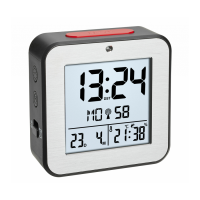
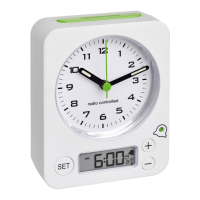
Radio controlled alarm clock
Radio controlled alarm clock
35
34
11. Troubleshooting
Problem Solution
No display ➜ Ensure that the batteries polarity are correct
➜ Change the batteries
No DCF reception ➜ Press and hold ▼ and ▲ button at the same time and start the recep-
tion manually
➜ Choose another place for your product
➜ Wait for attempted reception during the night
➜ Check if there is any source of interference.
➜ Restart the device according to the manual
➜ Manual setting of the clock
9. RESET function
• If the unit does not work properly use a pin to press the RESET button.
10. Care and maintenance
• Clean your instrument with a soft damp cloth. Do not use solvents or scouring agents.
• Remove the batteries if you do not use the product for a long period of time.
• Keep the instrument in a dry place.
10.1 Battery replacement
• Replace the batteries when the display becomes weak.
• Open the battery compartment and insert the two new batteries 1,5 V AAA. Ensure that the battery
polarity is correct
• Close the battery compartment again.
TFA_No. 60.2511_Anleitung_09_16 27.09.2016 15:23 Uhr Seite 18


 To Next Page