2524
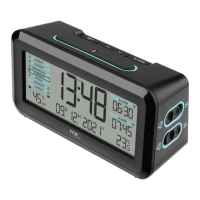
Radio-controlled alarm clock
• If the DCF reception is enabled (ON), you can set the time zone after confirma-
tion with the SET button (TZ appears on the display and 0 default will be flash-
ing).
• Press the – or + button to adjust the time zone (-9/+9).
• The time zone setting is needed for countries where the DCF signal can be
received but the time zone is different from the DCF time (e.g. +1=one hour
later).
• Confirm the setting with the SET button.
• Press the SET button to make the settings in the following sequence: the
hours, the minutes, the year, the month, the day, the temperature unit (default
°C), the day-of-week language (default German), and the button tone (default
OFF). Press the – or + button to adjust it.
• Confirm the setting with the SET button.
• By a successful reception of the DCF reception signal and if the DCF reception
is activated (ON), the manually set time will be overwritten.
7.1.1 Setting of the temperature unit
• Press the – or + button to toggle between Celsius (°C) or Fahrenheit (°F) as
temperature unit select.
• Confirm the setting with the SET button.
7.1.2 Setting of the day-of-week language
• Adjust the desired day-of-week language with the – or + button: German (D),
English (EN), French (FR), Spanish (ES), Italian (IT) or Dutch (NL).
• Confirm the setting with the SET button.
Radio-controlled alarm clock
7.1.3 Setting of the button tone
• Normally the button tone (beep) is disabled (OFF).
• Press the – or + button to activate the button tone (ON).
• Confirm the setting with the SET button.
8. Alarm
• The alarm clock has two alarms with different alarm tones.
8.1 Setting of the first alarm time
• Press the SET 1 button in normal mode.
• 7:00 (default) or the last adjusted alarm time appears on the display.
• The hour digits will be flashing .
• Press – or + button to adjust the hours.
• Confirm the setting with the SET 1 button.
• The minute digit will be flashing. Press the – or + button to adjust the minutes.
• Confirm the setting with the button SET 1.
• The adjusted alarm time appears on the display.
• To activate the alarm function, move the switch AL 1 ON/OFF upwards (ON). At
the same time, the color mark appears and on the display appears a frame with
the alarm symbol .
• The first alarm time is activated.
• When the adjusted alarm time is reached, the alarm will ring.
• The alarm symbol will be flashing and the backlight will be activated for 5
seconds.
• Press any button and the alarm will stop.
TFA_No. 60.2539_Anleitung_06_24 12.06.2024 9:11 Uhr Seite 13


 To Next Page
 Loading...