– 28 – – 29 –
2928
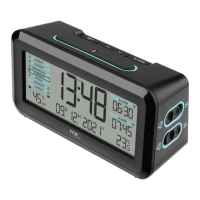
MELODY – Radio-controlled alarm clock with various alarm sounds
9. Troubleshooting
Problem Solution
No display ➜ Ensure the batteries' polarity are correct
➜ Connect Micro USB cable
➜ Change the batteries
No DCF reception ➜ Activate (ON) the DCF reception in the setting mode.
➜ Press the HOUR DAY/ button for 3 seconds in normal mode.
➜ Wait for an attempt reception during the night
➜ Change the location (interference!)
➜ Restart the device according to the manual
➜ Set the clock manually
Incorrect indication ➜ Change the batteries
If your device fails to work despite these measures contact the retailer where you purchased the product.
10. Waste disposal
This product has been manufactured using high-grade materials and components which can be recycled and reused.
MELODY – Radio-controlled alarm clock with various alarm sounds
Never dispose of empty batteries and rechargeable batteries in ordinary household waste.
As a consumer, you are required by law to take them to your retail store or to an appropriate collection site
depending on national or local regulations in order to protect the environment.
The symbols for the contained heavy metals are:
Cd = cadmium, Hg = mercury, Pb = lead
This product is labelled in accordance with the EU Waste Electrical and Electronic Equipment Directive
(WEEE).
Please do not dispose of this product in ordinary household waste. As a consumer, you are required to take
end-of-life devices to a designated collection point for the disposal of electrical and electronic equipment, in
order to ensure environmentally-compatible disposal.
11. Specifications
Measuring range - temperature -20…..+70°C (-4…+158 °F)
Measuring range - humidity 10 %rH...99 %rH
Power consumption 2 x AA 1,5 V batteries (not included) or
Micro USB port 5V 1A (cable not included)
TFA_No. 60.2540_anl_01_18 06.01.2018 10:27 Uhr Seite 15



 To Next Page