– 26 – – 27 –
2726
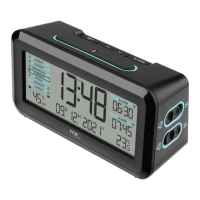
MELODY – Radio-controlled alarm clock with various alarm sounds
• The alarm symbol remains on the display.
• When the alarm rings, press the LIGHT/SNOOZE sensor button briefly and the snooze function is activated.
• Once the snooze function is activated, the snooze symbol will be flashing on the display.
• The alarm will be interrupted for 5 minutes.
7.5 Alarm clock - select melody
• In normal mode, press the MUSIC button to enter the selection function.
• 25 different alarm sounds are available (classical music pieces, melodies, alarm tones, animal sounds)
• Press the MUSIC button to select the alarm sound. Press the MUSIC button again to stop it.
• The last selected melody will be used as an alarm.
7.6 Alarm clock - adjust volume
• The switch at the back allows you to choose between three volume levels: silent (bottom), normal (middle), loud (top).
7.7 Temperature unit setting
• Press the MIN/°C/°F Month button in normal mode to change between °C (Celsius) or °F (Fahrenheit) as temperature
units.
MELODY – Radio-controlled alarm clock with various alarm sounds
7.8 Backlight
• Press the LIGHT/SNOOZE sensor button.
• The backlight turns on for 5 seconds.
• The device is provided with a light sensor to turn on the light automatically when it is dark.
• Use the ON/OFF switch at the back to activate or deactivate the automatic backlight.
8. Care and maintenance
• Clean the device with a soft damp cloth. Do not use solvents or scouring agents.
• Remove the batteries if the device will not be used for an extended period of time.
• Keep the device in a dry place.
8.1 Battery replacement
• Change the batteries when the battery symbol appears on the display.
• Open the battery compartment and insert two new AA 1.5 V batteries, polarity as illustrated.
• Close the battery compartment again.
TFA_No. 60.2540_anl_01_18 06.01.2018 10:27 Uhr Seite 14



 To Next Page