2726
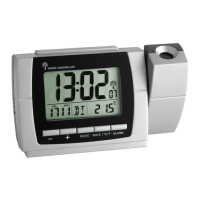
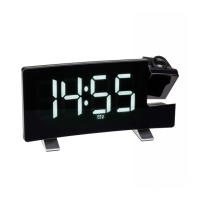
Projection alarm clock radio with USB charging function
Projection alarm clock radio with USB charging function
• Press the ▲ or ▼ button to set the desired sleep time (5, 10, 15, 20, 30, 45, 60, 75, 90 minutes or OFF).
• The display automatically switches back to the current time display.
• Press the RADIO/SLEEP button twice to check the remaining time.
• After time has expired, the radio will switch off automatically.
9. Projection and light
9.1 Projection
• Set the projection arm to the respective position.
• Press the ▲ button in normal mode. The projection of the actual time appears permanently onto the wall
or the ceiling. Press the ▲ button to adjust the brightness in 3 levels or to switch it off (HIGH/MIDDLE/
LOW/OFF (default).
• Press and hold the ▲ button to turn the image by 180°.
9.2 Illumination
• There are 3 different brightness modes:
1) Manual light mode (default)
• In this mode, you can adjust the brightness in 3 levels or switch it off.
• Press the SNOOZE/DIMMER button briefly. The sequence is shown as follows: LOW - MIDDLE (default) -
HIGH - OFF .
• The alarm symbol will be flashing and the alarm will be interrupted for the set time (see 7.1).
• To deactivate the alarm function, turn off the alarm function in the respective alarm mode (OFF). The
alarm symbol disappears.
8. Radio operation
• Press the RADIO/SLEEP button to switch on the radio.
• ON and the received radio frequency appears on the display briefly.
• Press the SET button. Radio stations that can be received are automatically searched for and saved (01,
02, 03...). After the search is complete, the device goes to station 01. Press the ▲ or ▼ button to recall
all preset stations one after the other.
• Press the VOL button. L07 appears on the display. Press the ▲ or ▼ button to adjust the volume (L00 -
L15).
• If the reception is weak, try to orient the antenna for a better reception.
• Avoid being close to possible sources of interference such as electronic devices and radio equipment.
• Press the SNOOZE/DIMMER button to switch off the radio.
• In the radio mode, no settings (time, alarm, projection and light) can be made.
8.1 Sleep mode
• Press the RADIO/SLEEP button twice to switch on the radio and to enter the sleep mode.
• SL and 05 (default) appear on the display.
TFA_No. 60.5015_Anl_03_22 21.03.2022 11:10 Uhr Seite 14


 To Next Page