2524
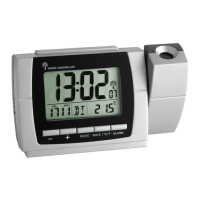
Projection alarm clock radio with USB charging function
Projection alarm clock radio with USB charging function
7.2 Alarm time setting
• Press the AL button in normal mode to enter the alarm mode.
• 6:00 (default) or the last adjusted alarm time and the alarm symbol 1 appear on the display.
• The hour digits flash.
• Press the ▲ or ▼ button to adjust the hours.
• Confirm with the AL button.
• Set the minutes in the same way.
• Confirm with the AL button.
• OFF (default) appears on the display. The alarm is deactivated.
• You can select your respective alarm setting by pressing the ▲ or ▼ button:
rd = Wake up with radio
bu = Wake up with alarm sound
• Confirm with the AL button.
• Set the alarm time for the second alarm in the same way.
• When the alarm is activated, the respective alarm symbol will appear on the display.
• When the set alarm time is reached, the alarm clock will wake you up with the selected setting.
• If you have selected “Wake up with radio”, the volume increases slowly up to the level set.
• Press the AL or RADIO/SLEEP button and the alarm will stop.
• If the alarm is not stopped manually, the alarm tone automatically turns off after 5 minutes and will be
reactivated at the same set time on the following day.
• The alarm symbol remains on the display.
• You can activate the snooze function by pressing the SNOOZE/DIMMER button.
• Re-attach the battery cover carefully.
• Plug the supplied USB-cable into the designated port on the device and connect the unit to the mains
using the power adapter.
• Important! Make sure that your household voltage is no more than 240V! Otherwise your device may be
damaged.
• The display is illuminated, the device will alert you with a beep and all LCD segments will be displayed
for a short moment.
• The device is ready for use.
• Remove the protective films from the display.
• The clock must be set to the current time in setting mode.
7. Settings
• Press and hold the ▲ or ▼ button in setting mode for fast mode.
• The device will automatically quit the setting mode if no button is pressed for 20 seconds.
7.1 Setting of the time and snooze interval
• Press and hold the SET button for three seconds.
• The hour digit will be flashing. Press the ▲ or ▼ button to adjust hours.
• Press the SET button again to make the settings in the following sequence: the minutes, the 12- or 24-
hours system (24 Hr - default) and the snooze interval from 5 to 60 minutes (09 - default) and adjust it
with the ▲ or ▼ button.
TFA_No. 60.5015_Anl_03_22 21.03.2022 11:10 Uhr Seite 13


 To Next Page