1514
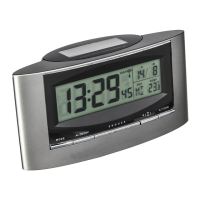
SOLAR - Radio-controlled alarm clock
Please take note of the following:
• The recommended distance to any interference sources like
computer monitors or TV sets is at least 1.5 - 2 metres.
• Inside ferro-concrete rooms (basements, superstructures), the
received signal is naturally weakened. In extreme cases, please
place the unit close to a window and/or turn it until the signal
improves.
• During nighttime, atmospheric interference is usually less
severe and reception is possible in most cases. A single daily
reception is adequate to keep the accuracy deviation under
1 second.
7. Operation
• The instrument will quit the setting mode, if there is no button
used within 15 seconds.
7.1 Manual setting of the clock and calendar
• Hold “MODE” button for 3 seconds to enter setting mode. The
hour indicator is flashing
• Press “▲ (12/24)” or “▼ ()” to adjust the setting and press
“MODE” button to confirm each setting.
• The setting sequence is shown as follow:
• Hours, minutes, seconds, year, month / day sequence, month,
day, time zone, day-of-week language.
• In “month/day sequence” the two different date displays can be
selected: month / date (American version) or date / month
(European version).
• The time zone is used for the countries where the DCF signal
can be received but the time zone is different from the German
time (e.g. + 1=one hour later).
• Day-of-week language: German (GE), English (GB), Spanish
(ES), Italian (IT), French (FR).
7.2 12 or 24 hours mode
• Press “▲ (12/24)” button to select 12 or 24 hours mode.
• In 12 HR system AM or PM appears on the display.
SOLAR - Radio-controlled alarm clock
7.3 Setting the alarm
• Press “MODE” button. The alarm time (“AL “) is shown on the
LCD.
• When viewing the alarm time, hold “MODE” button for 3
seconds to enter alarm time setting. The hour digits are flashing.
Press “▲ (12/24)” button or “▼ ()” button to adjust the
hours. Confirm with “MODE” button. Set minutes in the same
way.
• Press “AL ON/OFF” button to switch alarm on or off. If it is on,
“ ” is shown on the LCD.
• When alarming, press any button to stop the alarm.
• Press “SNOOZE ” button when alarming to activate the snooze
function. “Zz” icon will flash. The alarm will stop for 5
minutes, then it turns on again.
7.4 Temperature display
• Press “▼ ()” button to change between °C or °F as tempera-
ture unit.
8. Care and maintenance
• For a very good function keep the solar panel always clean.
Clean it with a soft cloth and maybe a little glass- or display
cleaner. Do not use solvents or scouring agents.
• Protect it from moisture.
9. Troubleshooting
Problem Solution
No display / ➜ Make sure that no objects cover
incorrect display the solar panel
➜ Recommended incidence of light:
At least 4 hours per day
➜ Push the “POWER ON/OFF” slide
switch off and on to reset the unit
No DCF reception ➜ Hold the “▼()” button for 3 seconds
➜ Wait for attempted reception during
the night
➜ Choose another place for the instrument
TFA_No. 98.1071_Anleit_02_22 22.02.2022 15:29 Uhr Seite 8


 To Next Page