EasyManua.ls Logo

TFA BOOM - User Manual

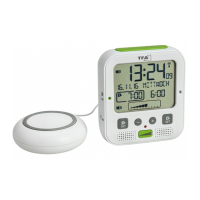
TFA BOOM
34 pages
Go to English
Print Icon
To Next Page IconTo Next Page
Loading...
RoHS
Bedienungsanleitung
Instruction manual
Mode d’emploi
Instrucciones de uso
Gebruiksaanwijzing
Istruzioni per l'uso
Kat. Nr. 60.2538
TFA_No. 60.2538_Anleitung 27.11.2018 15:34 Uhr Seite 1
Question and Answer IconNeed help?

Do you have a question about the TFA BOOM and is the answer not in the manual?

Summary

BOOM - High Performance Radio-Controlled Alarm Clock with Vibration Alarm

Before You Use This Product

Read the instruction manual carefully to familiarize yourself with the device, its functions, and first-time use.

Delivery Contents

Lists all items included in the package: alarm clock, vibration unit, instruction manual, power adapter, and adhesive pads.

Range of Application and Benefits

Highlights key features like vibration alarm, adjustable settings, and suitability for hearing impaired or heavy sleepers.

Product Safety Information

Provides essential safety advice, including risk of electrocution and proper connection to mains voltage.

Device Elements Overview

Details components of the display (A), buttons (B), and housing (C) as shown in figures.

Getting Started and Initial Setup

Guides through connecting the power adapter, initial device alert, and the process of DCF signal reception.

Radio-Controlled Time Reception

Explains the source of the time signal (caesium atomic clock) and factors affecting reception quality.

Battery Installation for Backup

Instructions for inserting AA batteries as a backup power source and for features like permanent backlight.

Device Operation and Manual Settings

Covers basic operation, manual time setting, and sequence of settings like 12/24 hour format, time zone, and language.

Time Format and Time Zone Configuration

Details how to set the 12 or 24-hour system and adjust the time zone for accurate time display.

Language and Button Tone Settings

Allows selection of the day-of-the-week language and enabling/disabling the button tone beep.

Automatic Night Backlight Adjustment

Explains how to adjust the brightness level for the automatic night backlight.

Backlight Modes and Operation

Describes the different backlight settings (auto, permanent, off) and how to activate it with the SNOOZE/LIGHT button.

Backlight Overview and Adjustment

Provides an overview of backlight behavior in different conditions and how to adjust day backlight and flashing light.

Alarm Function Setup and Types

Covers setting alarm times, selecting alarm functions (vibration, tone, light), and specific wake-up methods.

Alarm Volume, Frequency, and Brightness

Details how to adjust the volume, tone frequency, and flashing light brightness for alarms.

Summary

BOOM - High Performance Radio-Controlled Alarm Clock with Vibration Alarm

Before You Use This Product

Read the instruction manual carefully to familiarize yourself with the device, its functions, and first-time use.

Delivery Contents

Lists all items included in the package: alarm clock, vibration unit, instruction manual, power adapter, and adhesive pads.

Range of Application and Benefits

Highlights key features like vibration alarm, adjustable settings, and suitability for hearing impaired or heavy sleepers.

Product Safety Information

Provides essential safety advice, including risk of electrocution and proper connection to mains voltage.

Device Elements Overview

Details components of the display (A), buttons (B), and housing (C) as shown in figures.

Getting Started and Initial Setup

Guides through connecting the power adapter, initial device alert, and the process of DCF signal reception.

Radio-Controlled Time Reception

Explains the source of the time signal (caesium atomic clock) and factors affecting reception quality.

Battery Installation for Backup

Instructions for inserting AA batteries as a backup power source and for features like permanent backlight.

Device Operation and Manual Settings

Covers basic operation, manual time setting, and sequence of settings like 12/24 hour format, time zone, and language.

Time Format and Time Zone Configuration

Details how to set the 12 or 24-hour system and adjust the time zone for accurate time display.

Language and Button Tone Settings

Allows selection of the day-of-the-week language and enabling/disabling the button tone beep.

Automatic Night Backlight Adjustment

Explains how to adjust the brightness level for the automatic night backlight.

Backlight Modes and Operation

Describes the different backlight settings (auto, permanent, off) and how to activate it with the SNOOZE/LIGHT button.

Backlight Overview and Adjustment

Provides an overview of backlight behavior in different conditions and how to adjust day backlight and flashing light.

Alarm Function Setup and Types

Covers setting alarm times, selecting alarm functions (vibration, tone, light), and specific wake-up methods.

Alarm Volume, Frequency, and Brightness

Details how to adjust the volume, tone frequency, and flashing light brightness for alarms.

TFA BOOM Specifications

General IconGeneral
BrandTFA
ModelBOOM
CategoryAlarm Clock
LanguageEnglish

Related product manuals