3130
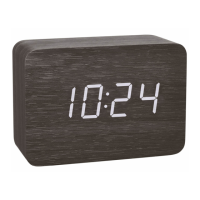
CLOCCO – Wood style radio-controlled alarm clock with large LED digits
CLOCCO – Wood style radio-controlled alarm clock with large LED digits
9.1 Battery replacement
• Change the batteries 3 x 1,5 V AAA when the illumination without the use of the power adapter gets weak.
• When the CR2032 battery is used up, see “Reception of the DCF frequency signal”. If necessary, change the battery:
• Open the battery compartment of the alarm clock.
• Open the inner battery compartment using a screwdriver.
• Insert a new battery (CR2032) with the + pole up.
• Screw the battery cover back on carefully.
• Close the battery compartment again.
10. Troubleshooting
Problem Solution
No display ➜ Wait for the DCF signal reception
Operation with power adapter:
➜ Connect the device to the power adapter
8. Display light
8.1 Operation with power adapter
• Attention: Continuous illuminated display only works when using the power adapter.
• To change the brightness of the display (3 levels), press the DOWN button (L1=strong, L2=middle, L3=weak).
• If the automatic dimming function is activated (A-on), the weak backlight (brightness level L3) turns on automatically between 19:00 and 6:59 am.
8.2 Battery operation (power-saving mode)
• To activate the display, touch the alarm clock or make a loud sound (such as clapping your hands).
• The display turns on for 15 seconds.
9. Care and maintenance
• Clean the device with a soft damp cloth. Do not use solvents or scouring agents.
• Remove the batteries and pull out the plug of the socket if the device will not be used for an extended period of time.
• Store the device in a dry place.
TFA_No. 60.2549_Anleitung_07_20 08.07.2020 9:45 Uhr Seite 16


 To Next Page