EasyManua.ls Logo

TFA CLOCCO - User Manual

TFA CLOCCO
50 pages
Go to English
Print Icon
To Next Page IconTo Next Page
Loading...
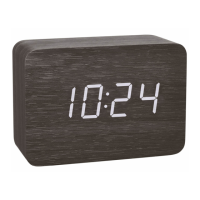
CLOCCO – Radio despertador, diseño con aspecto de madera con grandes cifras LED
Estas instrucciones o extractos de las mismas no pueden ser publicados sin la autorización de la TFA Dostmann. Los datos técnicos de este producto corresponden al estado en el momento de la impre-
sión y pueden ser modificados sin previo aviso.
Los actuales datos técnicos e informaciones sobre su producto los puede encontrar bajo el número de artículo en nuestra página web.
Declaración UE de conformidad
Por la presente, TFA Dostmann declara que el tipo de equipo radioeléctrico 60.2549 es conforme con la Directiva 2014/53/UE. El texto completo de la declaración UE de conformidad está disponible en la
dirección Internet siguiente: www.tfa-dostmann.de/service/downloads/ce
www.tfa-dostmann.de
E-Mail: info@tfa-dostmann.de
TFA Dostmann GmbH & Co.KG, Zum Ottersberg 12, D-97877 Wertheim, Alemania
Número del registro mercantil: Reg. Gericht Mannheim HRA 570186 07/20
Bedienungsanleitung
Instruction manual
Mode d’emploi
Instrucciones de uso
Gebruiksaanwijzing
Istruzioni per l'uso
Kat. Nr. 60.2549
100
TFA_No. 60.2549_Anleitung_07_20 08.07.2020 9:45 Uhr Seite 1
Question and Answer IconNeed help?

Do you have a question about the TFA CLOCCO and is the answer not in the manual?

Summary

Product Introduction and Safety

Before You Use This Product

Read the manual carefully for correct use, safety, and to prevent damage or loss of statutory rights.

For Your Safety

Emphasizes adherence to instructions, safety advice, and electrical regulations to prevent hazards.

Device Components and Initial Setup

Device Elements Overview

Identifies key display elements (A1-A3) and control buttons (B1-B4) for the clock.

Housing Components

Lists and identifies the various parts of the clock's housing and battery compartments.

Getting Started Guide

Provides initial steps for powering the clock and setting it up, including battery and adapter usage.

DCF Signal Reception

Explains how to initiate and understand the radio-controlled time signal reception process.

Operation and Features

Manual Settings and Display Modes

Details manual time setting, display modes (time, date, temperature), and automatic dimming.

Alarm Time Setting

Instructions for setting the alarm time, activating the alarm function, and stopping the alarm.

Display Light Control

Explains how to adjust display brightness with the power adapter and automatic dimming.

Maintenance, Troubleshooting, and Disposal

Care and Maintenance

Guidelines for cleaning the device and preparing it for long-term storage.

Battery Replacement

Procedures for replacing the main AAA batteries and the backup CR2032 battery.

Troubleshooting Common Issues

Provides solutions for common problems like no display or no DCF reception.

Waste Disposal Information

Instructions on environmentally responsible disposal of the product and batteries.

Technical Specifications

Product Specifications

Details technical specifications including measuring range, power consumption, dimensions, and weight.

EU Declaration of Conformity

States compliance with EU Directive 2014/53/EU and provides a link to the full text.
Summary

Product Introduction and Safety

Before You Use This Product

Read the manual carefully for correct use, safety, and to prevent damage or loss of statutory rights.

For Your Safety

Emphasizes adherence to instructions, safety advice, and electrical regulations to prevent hazards.

Device Components and Initial Setup

Device Elements Overview

Identifies key display elements (A1-A3) and control buttons (B1-B4) for the clock.

Housing Components

Lists and identifies the various parts of the clock's housing and battery compartments.

Getting Started Guide

Provides initial steps for powering the clock and setting it up, including battery and adapter usage.

DCF Signal Reception

Explains how to initiate and understand the radio-controlled time signal reception process.

Operation and Features

Manual Settings and Display Modes

Details manual time setting, display modes (time, date, temperature), and automatic dimming.

Alarm Time Setting

Instructions for setting the alarm time, activating the alarm function, and stopping the alarm.

Display Light Control

Explains how to adjust display brightness with the power adapter and automatic dimming.

Maintenance, Troubleshooting, and Disposal

Care and Maintenance

Guidelines for cleaning the device and preparing it for long-term storage.

Battery Replacement

Procedures for replacing the main AAA batteries and the backup CR2032 battery.

Troubleshooting Common Issues

Provides solutions for common problems like no display or no DCF reception.

Waste Disposal Information

Instructions on environmentally responsible disposal of the product and batteries.

Technical Specifications

Product Specifications

Details technical specifications including measuring range, power consumption, dimensions, and weight.

EU Declaration of Conformity

States compliance with EU Directive 2014/53/EU and provides a link to the full text.

TFA CLOCCO Specifications

General IconGeneral
BrandTFA
ModelCLOCCO
CategoryClock
LanguageEnglish

Related product manuals