Note:
Should after checking the above list and the outdoor temperature is still not received, then reset the
units (see Resetting the Remote Thermo below).
RESETTING THE REMOTE THERMO:
1. Remove the batteries from the Remote Thermo and the transmitter(s)
2. Wait at least 30 seconds and repeat the procedures specified in Setting up above.
Note:
Remember when resetting, all units have to be reset and to always insert the batteries into the
Remote Thremo first and then followed by the transmitter(s).
POSITIONING
Remote Thermo:
The Remote Thermo comes complete with a detachable stand that gives the option of table
standing or wall mounting.
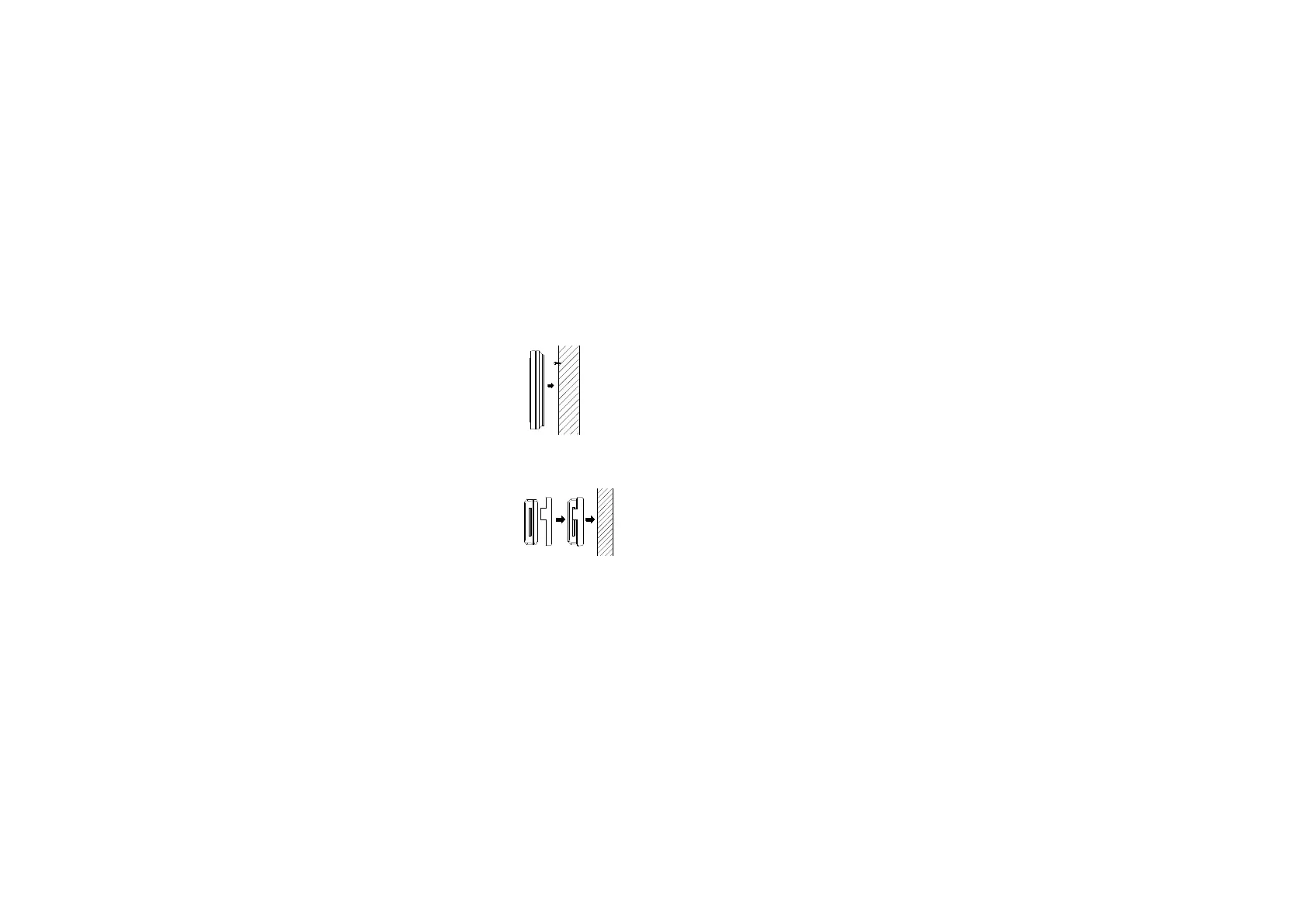
To wall mount:
1. Fix a screw into the desired wall, leaving the head extended out the by
about 5mm.
2. Using the Remote Thermo’s hanging hole, carefully hang it onto the
screw.
Note: Always ensures that the unit locks onto the screw head before releasing.
Outdoor transmitter:
The Outdoor Transmitter is supplied with a holder that may be attached to a wall with the three
screws or double-sided tape supplied.
To attach to the wall using screws, please follow the steps below:
1. Mark the wall using a pen through the holes in the holder to obtain
the exact drilling position.
2. Drill holes in the wall at the points marked.
3. Screw holder onto wall.


 To Next Page