1918
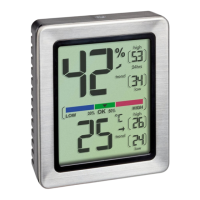
EXACTO – Digital thermo-hygrometer
EXACTO – Digital thermo-hygrometer
9. Maximum and minimum values
• There are two memory modes for highest and lowest values.
• Press the UP or DOWN button in normal mode to enter the
automatic (24hrs) or manual (all-time) reset mode of the
maximum-minimum values.
• All-time mode: As soon as the station is active the maxi-
mum and minimum values will be stored.
• 24hrs mode: The maximum and minimum values will be
reset every 24 hours (from the moment of activation).
9.1 Manual reset
• Hold UP button in the respective mode to clear the recorded
high reading.
• Hold DOWN button in the respective mode to clear the
recorded low reading.
10. Backlight
• Press the LIGHT sensor button or any button to temporarily
activate the backlight.
11. Positioning and mounting of the device
• The device can be placed onto any flat surface with the stand
or wall mounted at a chosen location with the mounting hole,
both found at the back of the unit.
• Use the magnets at the back of the device for placement on
metal surfaces.
12. Care and maintenance
• Clean the device with a soft damp cloth. Do not use solvents
or scouring agents.
• Remove the batteries if the device will not be used for an
extended period of time.
• Keep the device in a dry place.
12.1 Battery replacement
• Change the batteries when the battery symbol appears on the
display.
13. Troubleshooting
Problem Solution
No display ➜ Ensure the batteries' polarity
are correct
➜ Change the batteries
Incorrect indication ➜ Change the batteries
➜ Use the calibration function
TFA_No. 30.5047_Anleitung 24.05.2018 16:15 Uhr Seite 10


 To Next Page