EasyManua.ls Logo

TFA KlimaLogg Pro - User Manual

TFA KlimaLogg Pro
124 pages
Go to English
Print Icon
To Next Page IconTo Next Page
Loading...
1
GEBRAUCHSANWEISUNG
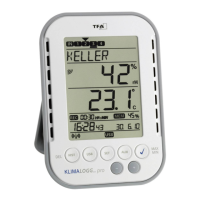
KlimaLogg Pro
Kat. Nr. 30.3039.IT
Temperatur und Luftfeuchte Logger
EINFÜHRUNG:
Vielen Dank, dass Sie sich für diesen professionellen Datenlogger für
Temperatur und Luftfeuchtigkeit aus dem Hause TFA entschieden
haben.
Bevor Sie mit dem Gerät arbeiten
Lesen Sie sich bitte die Bedienungsanleitung genau durch.
So werden Sie mit Ihrem neuen Gerät vertraut, lernen alle Funktionen
und Bestandteile kennen, erfahren wichtige Details für die
Inbetriebnahme und den Umgang mit dem Gerät und erhalten Tipps für
den Störungsfall.
Durch die Beachtung der Bedienungsanleitung vermeiden Sie auch
Beschädigungen des Geräts und die Gefährdung Ihrer gesetzlichen
Mängelrechte durch Fehlgebrauch. Für Schäden, die aus
Nichtbeachtung dieser Bedienungsanleitung verursacht werden,
übernehmen wir keine Haftung. Ebenso haften wir nicht für inkorrekte
Messwerte und Folgen, die sich aus solchen ergeben können.
Beachten Sie besonders die Sicherheitshinweise!
Bewahren Sie diese Anleitung gut auf!
EINSATZBEREICH
Dieses Gerät ermöglicht Ihnen, detaillierte Aufzeichnungen von
Temperatur und Luftfeuchte vorzunehmen und diese auch aktiv zu
überwachen. Aufgezeichnete Daten können zur komfortablen
Auswertung an einen Computer mittels USB-Transceiver übertragen
werden. Die mitgelieferte Software hilft zusätzlich auch bei der
Handhabung des Loggers und kann sogar als reine Schnittstelle zu
eigenen Software-Applikationen genutzt werden. Der Logger kann auf
bis zu 8 Sender erweitert werden.
Question and Answer IconNeed help?

Do you have a question about the TFA KlimaLogg Pro and is the answer not in the manual?

Summary

Introduction and Safety Precautions

Device Introduction and Usage Field

Overview of the KlimaLogg Pro data logger and its intended operational scope.

Before First Use: Manual Reading

Importance of reading the manual for familiarization with functions and operation.

Product Safety and Risk of Injury

Critical warnings regarding product use, battery handling, and potential hazards.

Device Setup and Initial Configuration

Additional Transmitters and Battery Management

Information on compatible transmitters and battery installation/replacement.

First Installation and Time Reception

Steps for initial device setup, including DCF time signal reception.

Interface and Basic Controls

Understanding the LCD Display and Buttons

Explanation of the LCD display layout and the logger's function buttons.

Button Operations in Normal View

Detailed functions of each button for navigation and data access.

Basic Settings: Contrast, Time Zone, Sound

Configuration options for LCD contrast, time zone, and alarm sound.

Manual Time, Date, and Reset Settings

Procedures for manual time/date setting and factory reset.

Transmitter Management and Data Logging

Working with External Transmitters

Information on detecting, assigning, and managing external transmitters.

Transmitter Learning and Deletion

Manual search for transmitters and procedures for removing them.

Setting Data Recording Intervals

Configuring the frequency at which the logger records data.

Data Access and Alarm Configuration

Viewing Max;Min Values and Dew Point

Accessing and clearing maximum, minimum values, and current dew point.

Setting and Managing Alarms

Configuring alarm limits for temperature and humidity and their activation.

Alarm Event Data and History Mode

Automatic recording of alarm events and navigating recorded data.

PC Connectivity and Technical Details

Connecting the Logger to a PC

Overview of PC connection, software, and data transfer via USB transceiver.

Initiating PC Software Contact

Establishing communication and synchronization between the logger and PC.

Open Collector Hardware Output

Description of the hardware output for alarm signals to external devices.

Detailed Technical Specifications

Comprehensive list of technical specifications for the device.

Troubleshooting, Maintenance, and Disposal

Troubleshooting Logger and Transmission Issues

Solutions for common logger malfunctions and radio transmission problems.

Logger Placement and Care

Guidelines for positioning, cleaning, and maintaining the logger.

Battery Replacement and Disposal

Procedures for battery replacement and environmentally compatible waste disposal.

Product Compliance Information

Declaration of Conformity Statement

Statement of compliance with essential requirements of R&TTE Directive.

Summary

Introduction and Safety Precautions

Device Introduction and Usage Field

Overview of the KlimaLogg Pro data logger and its intended operational scope.

Before First Use: Manual Reading

Importance of reading the manual for familiarization with functions and operation.

Product Safety and Risk of Injury

Critical warnings regarding product use, battery handling, and potential hazards.

Device Setup and Initial Configuration

Additional Transmitters and Battery Management

Information on compatible transmitters and battery installation/replacement.

First Installation and Time Reception

Steps for initial device setup, including DCF time signal reception.

Interface and Basic Controls

Understanding the LCD Display and Buttons

Explanation of the LCD display layout and the logger's function buttons.

Button Operations in Normal View

Detailed functions of each button for navigation and data access.

Basic Settings: Contrast, Time Zone, Sound

Configuration options for LCD contrast, time zone, and alarm sound.

Manual Time, Date, and Reset Settings

Procedures for manual time/date setting and factory reset.

Transmitter Management and Data Logging

Working with External Transmitters

Information on detecting, assigning, and managing external transmitters.

Transmitter Learning and Deletion

Manual search for transmitters and procedures for removing them.

Setting Data Recording Intervals

Configuring the frequency at which the logger records data.

Data Access and Alarm Configuration

Viewing Max;Min Values and Dew Point

Accessing and clearing maximum, minimum values, and current dew point.

Setting and Managing Alarms

Configuring alarm limits for temperature and humidity and their activation.

Alarm Event Data and History Mode

Automatic recording of alarm events and navigating recorded data.

PC Connectivity and Technical Details

Connecting the Logger to a PC

Overview of PC connection, software, and data transfer via USB transceiver.

Initiating PC Software Contact

Establishing communication and synchronization between the logger and PC.

Open Collector Hardware Output

Description of the hardware output for alarm signals to external devices.

Detailed Technical Specifications

Comprehensive list of technical specifications for the device.

Troubleshooting, Maintenance, and Disposal

Troubleshooting Logger and Transmission Issues

Solutions for common logger malfunctions and radio transmission problems.

Logger Placement and Care

Guidelines for positioning, cleaning, and maintaining the logger.

Battery Replacement and Disposal

Procedures for battery replacement and environmentally compatible waste disposal.

Product Compliance Information

Declaration of Conformity Statement

Statement of compliance with essential requirements of R&TTE Directive.

TFA KlimaLogg Pro Specifications

General IconGeneral
BrandTFA
ModelKlimaLogg Pro
CategoryData Loggers
LanguageEnglish

Related product manuals