34
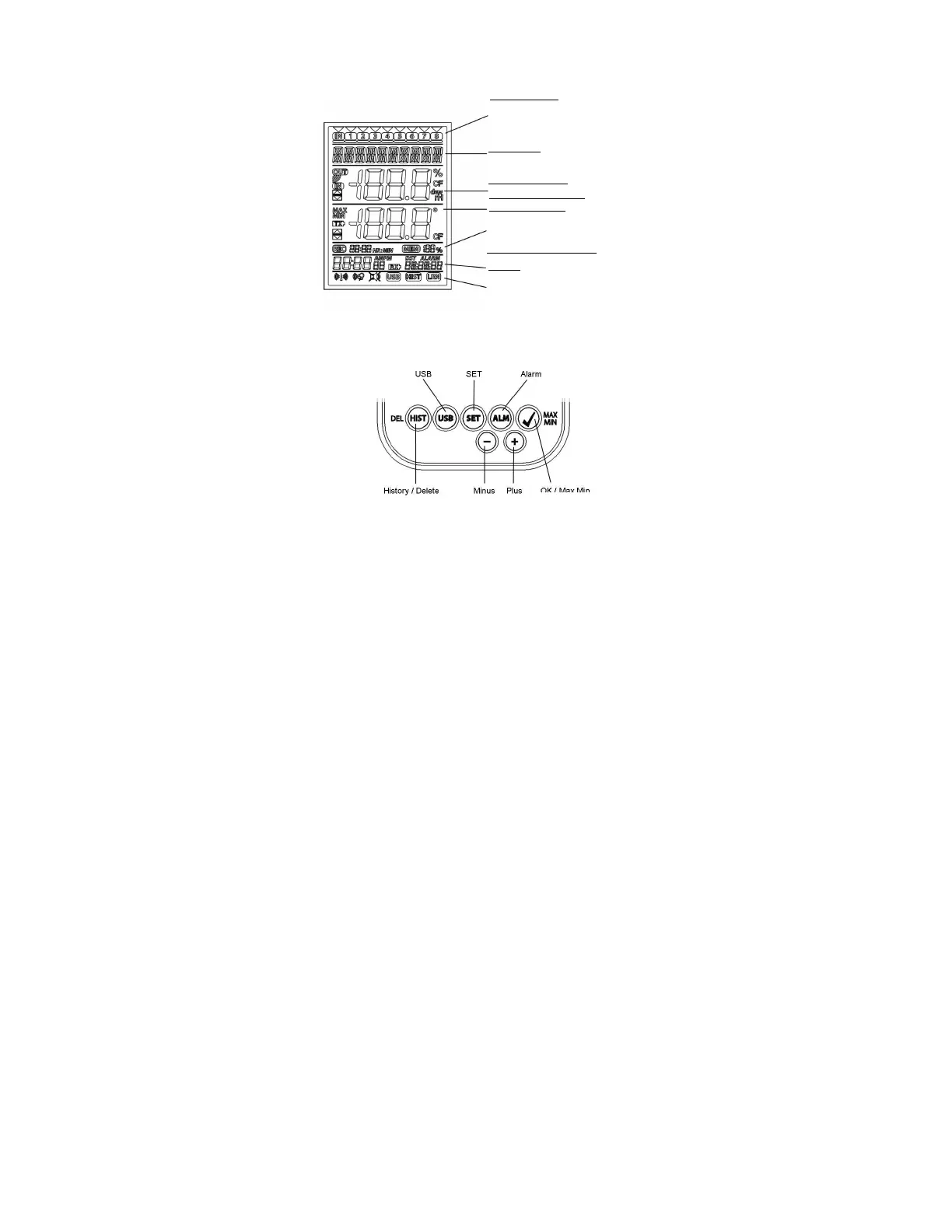
LCD DISPLAY:
The LCD display is split into 7 sections.
The designation of each section can be found on the following figure:
BUTTONS:
The logger is equipped with 7 function buttons:
Channel Display
Indication of the transmitters that
information, current selected channel
Text Display
Indication of the channel’s name
(or serial number) or guidelines
Indication Humidity
Indication Temperature
Memory Indication
Indication of the logging interval
and display of the data sets that
have not yet been read out in %
Indication of time and date
Toolbar
DCF symbol, Alarm sound,
Alarm ON/OFF, USB, History (HIST)
and Learning Mode (LRN)-Symbol



 To Next Page