2524
MEMO - Wireless weather station
MEMO - Wireless weather station
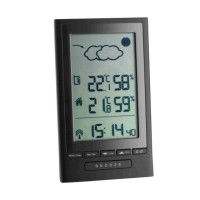
A 19: Date
A 20: Time/alarm
A 21: Seconds/day of the week
Buttons (Fig. 2)
B 1: MODE button
B 2: +/°C °F button
B 3: -/RCC button
B 4: CH button
B 5: CLR / SNZ button
B 6: BARO button
Housing (Fig. 2)
C 1: Wall mounting hole
C 2: Buttons
C 3: Battery compartment
C 4: Stand (fold out)
Transmitter(Fig. 3)
D 1: Wall mounting hole
D 2: Battery compartment
D 3: Switch 1, 2, 3
D 4: TX button
• The outdoor transmitter is splashproof, but not watertight. Choose a shady and dry place for the
transmitter.
5. Elements and buttons
Base station
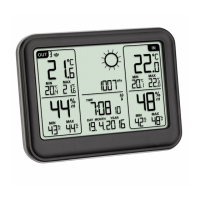
Display (Fig. 1)
A 1: Outdoor temperature
A 2: Maximum and minimum values of the outdoor temperature
A 3: Outdoor humidity
A 4: Maximum and minimum values of the outdoor humidity
A 5: Channel number
A 6: Reception icon
A 7: Symbol for alternating channels
A 8: Battery symbol for the transmitter
A 9: Weather forecast with weather symbols
A 10: Atmospheric pressure
A 11: Battery symbol for base station
A 12: Indoor temperature
A 13: Maximum and minimum values of the indoor temperature
A 14: Indoor humidity
A 15: Maximum and minimum values of the indoor humidity
A 16: DCF reception icon
A 17: Daylight Saving Time symbol
A 18: Alarm symbol
TFA_No. 35.1141_Anleitung_04_20 24.04.2020 9:35 Uhr Seite 13


 To Next Page