2928
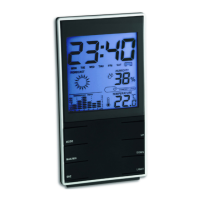
MEMO - Wireless weather station
MEMO - Wireless weather station
7.1 Manual setting of the clock and calendar
• Press and hold the MODE button for 3 seconds. The hour digit will be flashing. Press the +/°C °F or
-/RCC button to adjust hours. Press the MODE button to make the settings in the following
sequence: the minutes, the year, the month, the day, the language of the day of the week (ENG -
default), the 12 or 24 hours system (24hr - default), DCF reception (RCC on - default) and the time
zone (00 - default). Press the +/°C °F or -/RCC button to adjust it.
• Confirm the setting with the MODE button.
• Once the DCF time signal is successfully received, the manually set time is overwritten, if the DCF
reception is activated.
7.1.1 Day-of-the week language
• In the setting mode you can choose between the day-of-the week language: German (GER), English
(ENG), Italian (ITA), French (FRE), Dutch (DUT), Spanish (SPA) and Danish (DAN).
7.1.2 12/24-hour display setting
• In the setting mode you can choose between the 12 - or 24 hour system.
• In 12 HR system AM (before noon) or PM (after noon) appears on the display.
7.1.3 DCF reception
• By default, the DCF reception is activated (RCC on) and after successful reception of the DCF signal
no manual adjustment is necessary.
• Press the +/°C °F or -/RCC button if you want to deactivate the DCF reception (RCC OFF).
6.4.1 Note on radio-controlled time
The time base for the radio-controlled time is a caesium atomic clock operated by the Physika-
lisch Technische Bundesanstalt based in Braunschweig (Brunswick), Germany. It has a time deviation
of less than one second in one million years. The time is coded and transmitted from Mainflingen near
Frankfurt via the frequency signal DCF-77 (77.5 kHz) and has a transmitting range of approximately
1,500 km. The adjustment to Daylight Saving Time (summer/winter time) is automatic. In Daylight
Saving Time the DST symbol is shown on the display. The reception quality depends mainly on geo-
graphic location. Normally there should be no reception problems within a 1,500 km radius around
Frankfurt.
Therefore, please note the following steps:
• The recommended distance to any interfering sources like computer screens or TV sets is at least
1.5 - 2 meters.
• Within concrete walls (reinforced with steel) such as basements, the received signal is naturally
weakened. In extreme cases, please place the unit close to a window to improve reception.
• During night-time, the atmospheric interference is usually less severe and reception is possible in
most cases. A single daily reception is adequate to keep the accuracy deviation under 1 second.
7. Operation
• Important: Buttons will not function while scanning DCF or transmitter signal, unless they are well
received or stopped manually.
• During the operation, all successful settings will be confirmed by a brief beep tone.
• Press and hold the +/°C °F or -/RCC button in the setting mode for fast mode.
• The device will automatically quit the setting mode if no button is pressed for 20 seconds.
TFA_No. 35.1141_Anleitung_04_20 24.04.2020 9:35 Uhr Seite 15


 To Next Page
 Loading...