16 17
XENA
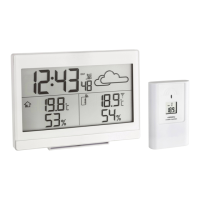
Wireless Weather Station
Cat.-No.: 35.1162.54
Delivery contents:
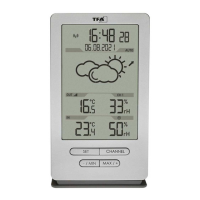
y Wireless weather station (base station)
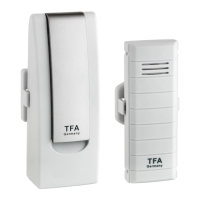
y Temperature-humidity sensor (Cat.-No.: 30.3249.02)
y Instruction manual
Range of application and all the benets of your new
instrument at a glance:
y Outdoor temperature and humidity wireless (433 MHz), distance range up to
100 m (open eld)
y Indoor temperature and humidity with comfort level indicator
y Maximum and minimum values with time and date of recording,
adjustable auto-reset
y Weather forecast with symbols and atmospheric pressure trend
y Radio-controlled clock with entire date
y Wall mounting or table stand
y Optional: Expandable up to 3 temperature-humidity-transmitters (sold
separately), also for the climate control of remote rooms, e.g. children’s room,
wine-cellar etc.
Safety notices
WARNING
y Keep the devices and the batteries out of reach of children.
y Small parts can be swallowed by children (under three years old).
y Batteries contain harmful acids and may be hazardous if swallowed. If a battery
is swallowed, this can lead to serious internal burns and death within two
hours. If you suspect a battery could have been swallowed or otherwise caught
in the body, seek medical help immediately.
y Batteries must not be thrown into a re, short-circuited, taken apart or
recharged. Risk of explosion!
y Low batteries should be changed as soon as possible to prevent damage
caused by leaking. Make sure the polarities are correct. Never use a combina-
tion of old and new batteries together, nor batteries of different types. Remove
the batteries if the device will not be used for an extended period of time. Wear
chemical-resistant protective gloves and safety glasses when handling leaking
batteries.
CAUTION
y Unauthorized repairs, alterations or changes to the product are prohibited.
y Do not expose the device to extreme temperatures, vibrations or shocks.
y Clean the instrument with a soft damp cloth. Do not use solvents or scouring
agents.
y The base station is only suitable for indoor use. Protect it from moisture!
y The transmitter is splashproof, but not watertight.
Elements
Base station (Receiver) (Fig.1)
Display
Fig.1-A DCF reception icon
Fig.1-B Time with seconds
Fig.1-C Date
Fig.1-D Automatic reset (AUTO)
Fig.1-E Atmospheric pressure trend
Fig.1-F Weather forecast with symbols
Fig.1-G Battery symbol for the
transmitter
Fig.1-H Channel number
Fig.1-J Symbol for alternating
channels
Fig.1-K Outdoor humidity
Fig.1-L Comfort level indicator of
indoor climate
Fig.1-M Indoor humidity
Fig.1-N Maximum values (MAX)
Fig.1-O Battery symbol for base station
Fig.1-P Indoor temperature
Fig.1-Q Minimum values (MIN)
Fig.1-R Outdoor temperature
Fig.1-S Transmitter reception icon
Buttons
Fig.1-T1 CHANNEL button
Fig.1-T2 MAX/+ button
Fig.1-T3 - /MIN button
Fig.1-T4 SET button
Housing (Fig.2)
Fig .2-A Wall mounting hole
Fig.2-B Battery compartment
Fig.2-C Table stand
(removable)
Transmitter (Fig.3)
Display
Fig.3-A Channel 1/2/3
Fig.3-B Transmission signal
Fig.3-C Temperature
Fig.3-D Humidity
Fig.3-E Battery symbol
Buttons & housing
Fig.3-F TX button
Fig.3-G 1 2 3 switch for
channel selection
Fig.3-H Battery compartment
Fig.3-J Support for wall
mounting or table
standing


 To Next Page