To write your first program, launch the Arduino
environment on your computer. A window will open into
which you can enter your program code. A few lines have
already been entered for you:
void setup() {
// put your setup code here, to run once:
}
void loop() {
// put your main code here, to run repeatedly:
}
int ledPin = 13;
void setup() {
pinMode(ledPin, OUTPUT);
}
void loop() {
digitalWrite(ledPin, HIGH);
delay(500);
digitalWrite(ledPin, LOW);
delay(500);
}
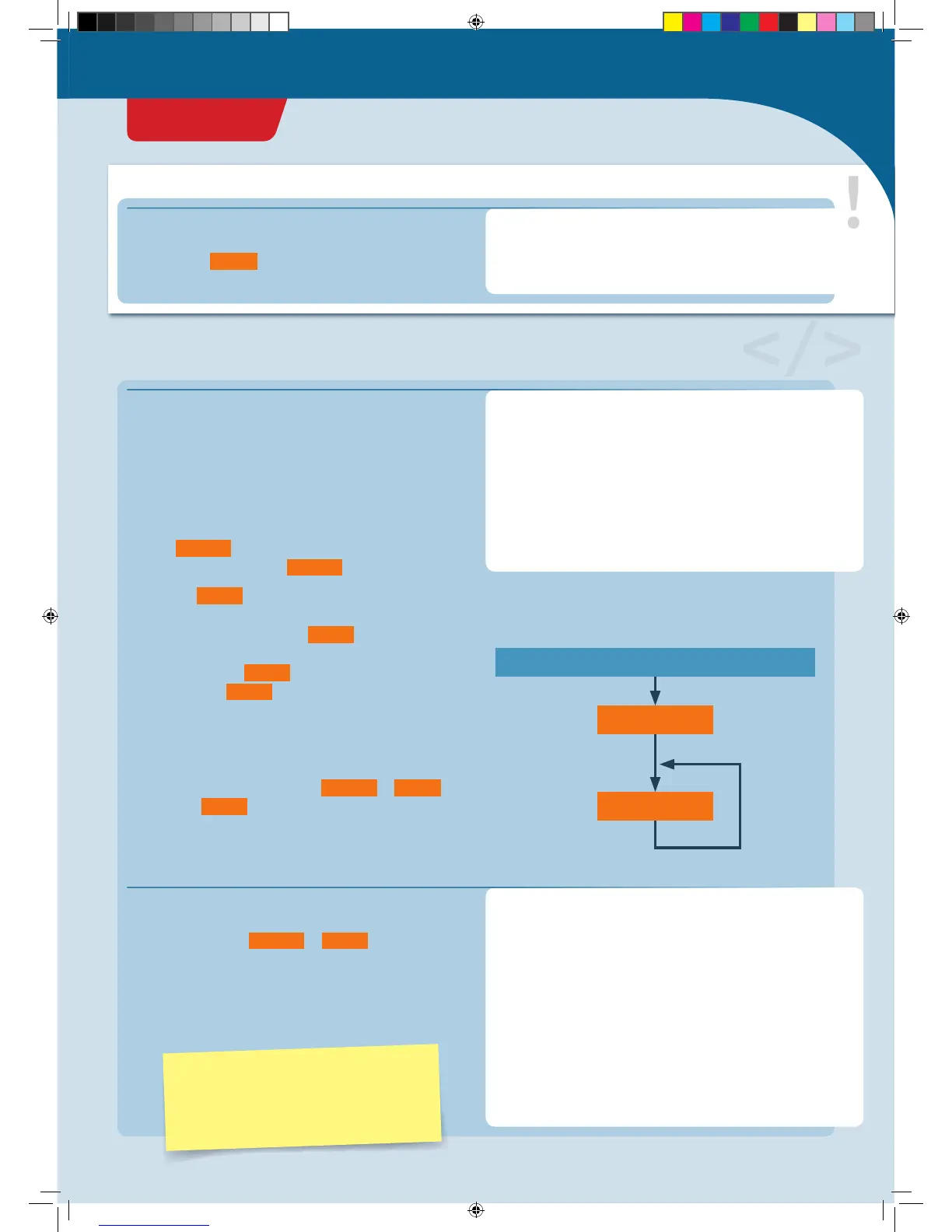
s e tu p()
lo o p()
ARDUINO SWITCHED ON
That is the basic skeleton for every Arduino program:
1. Your KosmoDuino starts by processing all instructions
in the
s e tu p()
function, i.e., all functions written in the
curly brackets following
s e tu p()
.
2. Then, the
lo o p()
function is invoked. That means that
your microcontroller executes all instructions written in
the curly brackets following
lo o p()
. Once the final
instruction has been processed, your controller once
again invokes the
lo o p()
function. In other words, the
instructions in
lo o p()
are invoked over and over in an
endless loop. That is why it’s called a loop function.
You can visualize this idea a little more clearly in a flow
diagram. The program always proceeds in the direction of
the arrows: from switching on, to
s e tu p()
, to
lo o p()
and
then back to
lo o p()
again and again.
You could upload this program right away to your
KosmoDuino if you wanted. But since there are no
instructions in either
s e tu p()
or
lo o p()
, the program
wouldn’t do anything.
So why not give your KosmoDuino something to do? Try
changing the program code like this:
▲
Flow diagram
In the field of Arduino programming, the
term “sketch” is often used to refer to a
program. In this instruction manual, both
terms will be used.
This is where the explanation for the program code is
written. Portions taken from the code are always
highlighted in
orange
.
PROGRAM CODE EXPLAINED:
Here is where the program code is written
// Comments on the code are always in gray.
// This text is not a functional part of the
// code. It provides explanation and clarity.
Your first program: Blink!


 To Next Page