Document updated 29 June 2023
3. Ensure the labels are feeding through correctly
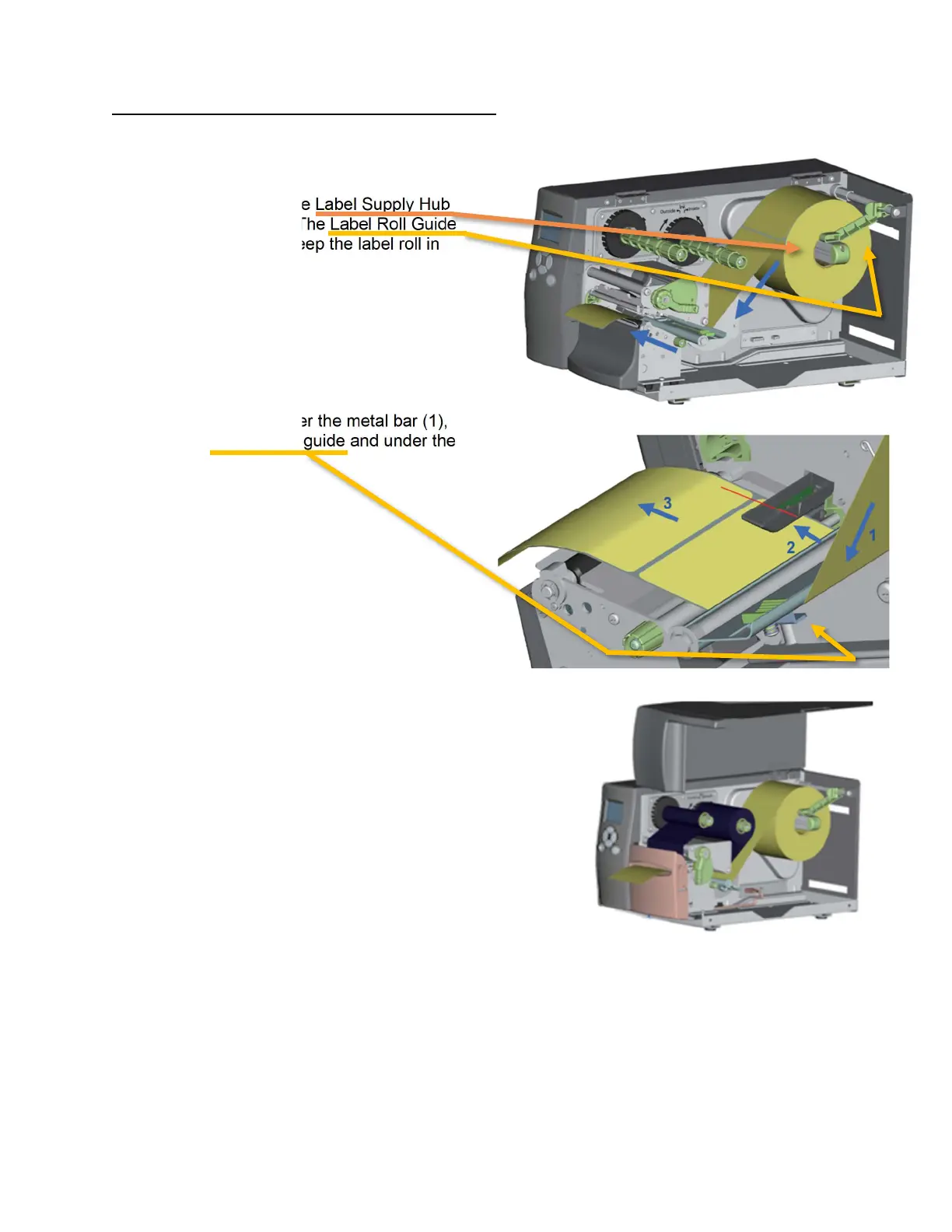
Label stock should be held by the Label Supply Hub
towards the back of the printer. The Label Roll Guide
should be down and locked to keep the label roll in
place.
The label stock should feed under the metal bar (1),
but above the small plastic label guide and under the
sensor (2).
The labels should then be fed through the cutter.
Once fed through the cutter, be sure to close the printhead and the
lid of the printer.
**Please ensure the cutter cover is installed. Otherwise, the
safety switch will NOT be pressed down and you will receive
cutter errors when printing.
For instructions on installing the cutter, please review your H-600+
printer manual.



 To Next Page