Document updated 29 June 2023
4. Use the default foil values
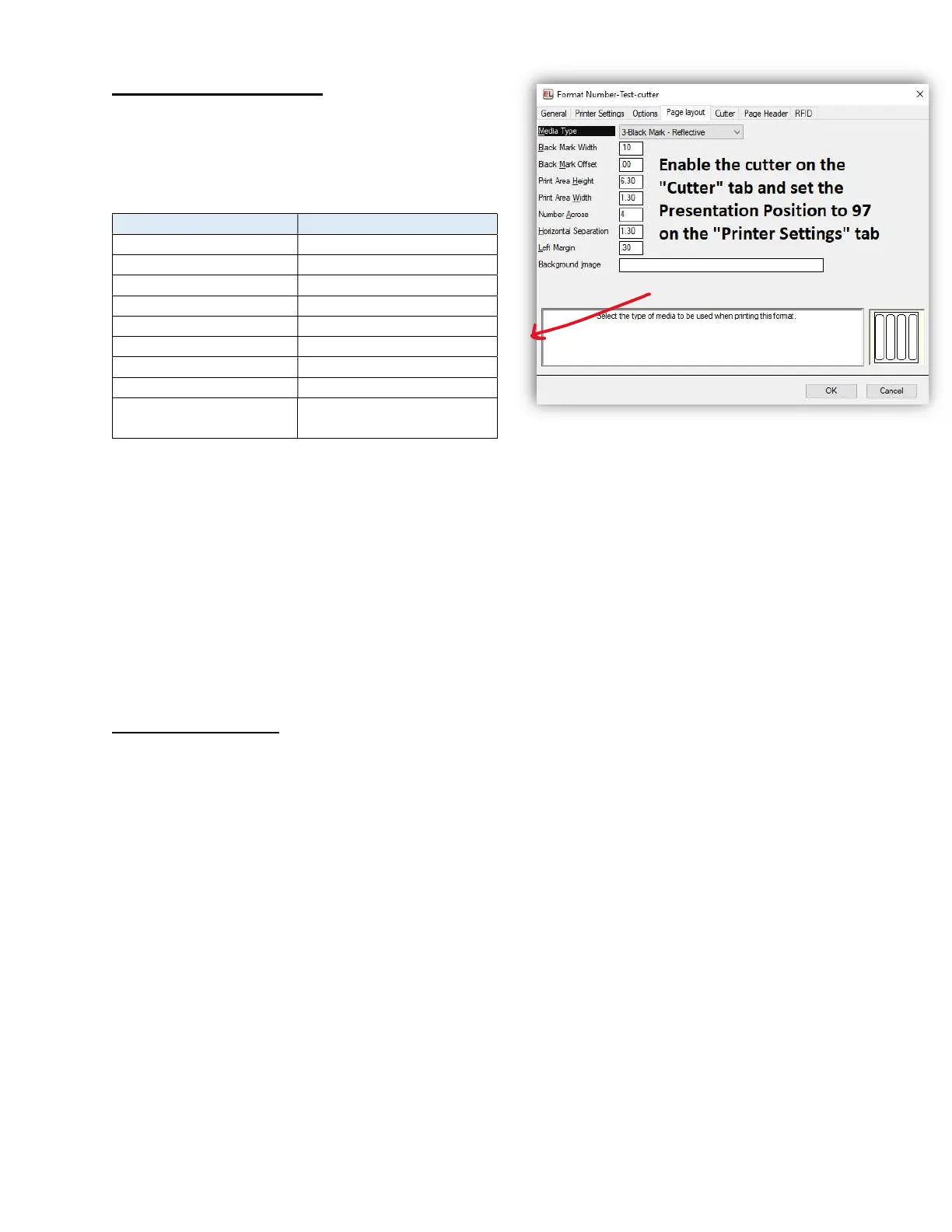
Set your format to use these default values. This is
intended for pin-feed labels, if you have a different
type of labels, you may need to adjust these
values
Setting Value
Black Mark Offset
00
Print Area Width 1
30
Horizontal Separation 1
30
Presentation Position
97
To review or adjust the values:
a. Open EasyLabel
b. Select File > Open > Label format
c. Select your format and click “Open”
d. At the top, Select View > Change Format Specification
e. Select the “Page Layout” tab (if in tab view)
**If you have multiple foil label formats, you may need to adjust those as well
5. Adjusting the values
If you have a different style of foil labels, such as labels without the pinholes, or if you have pin-feed labels but
it isn’t quite printing correctly, you may need to adjust the values of the Page Layout tab.
If it is printing too far up or down: adjust the Print Area Height by 0.05 increments to narrow down the size.
If it is not printing within the boxes or if the values seem completely incorrect, you can measure each value
individually.


 To Next Page
 Loading...
