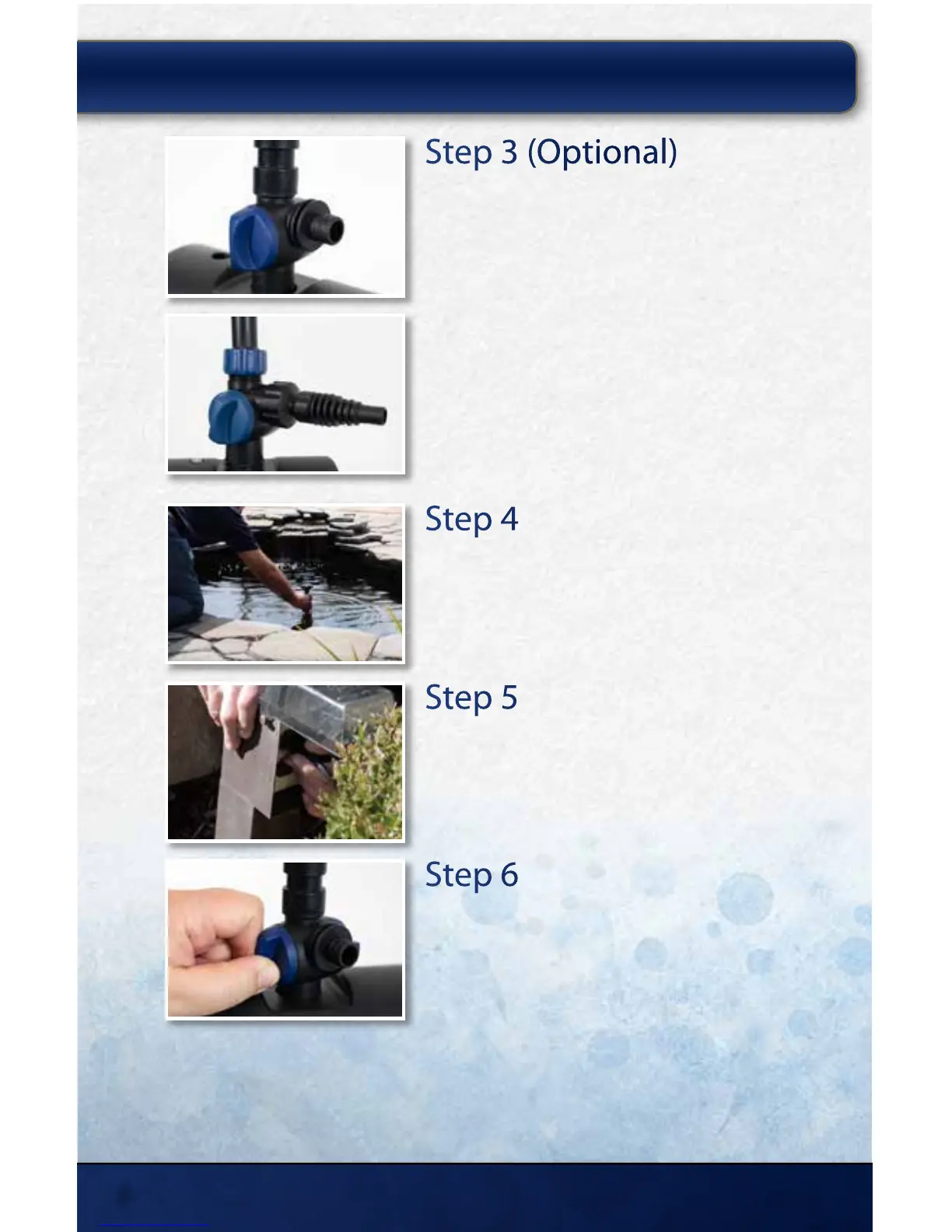
Step 3 (Optional)
Install Additional Water Feature
Using the diverter valve, a portion of the water ow
can be directed to an additional water feature if you
choose.
ClearSolution™ 700: Connect tubing directly to the
diverter valve to add a spitter or other decorative
feature or close the outlet using the cover cap.
ClearSolution™ 1250: Attach the threaded reducer
and the hose adaptor. Connect tubing to the hose
adaptor to add a spitter or other decorative feature or
turn the diverter valve to force all water to the fountain
nozzle.
Step 4
Place Filter in Pond
Place the lter on a at surface towards the middle of
your pond. The fountain head must remain above the
water’s surface.
Step 5
Plug in the Unit
Plug the power cord into a standard 120V GFCI outlet.
Step 6
Adjust the Water Flow
Adjust the spray height (left valve), or the water ow
to a waterfall or feature (right valve), by opening or
closing the diverter valves.
INSTALLING YOUR CLEARSOLUTION
™
FILTER:
Model 700
Model 1250
thepondguy.com | 866-POND-HELP (766-3435)
6



 To Next Page