— E13 —
y
U
W
5
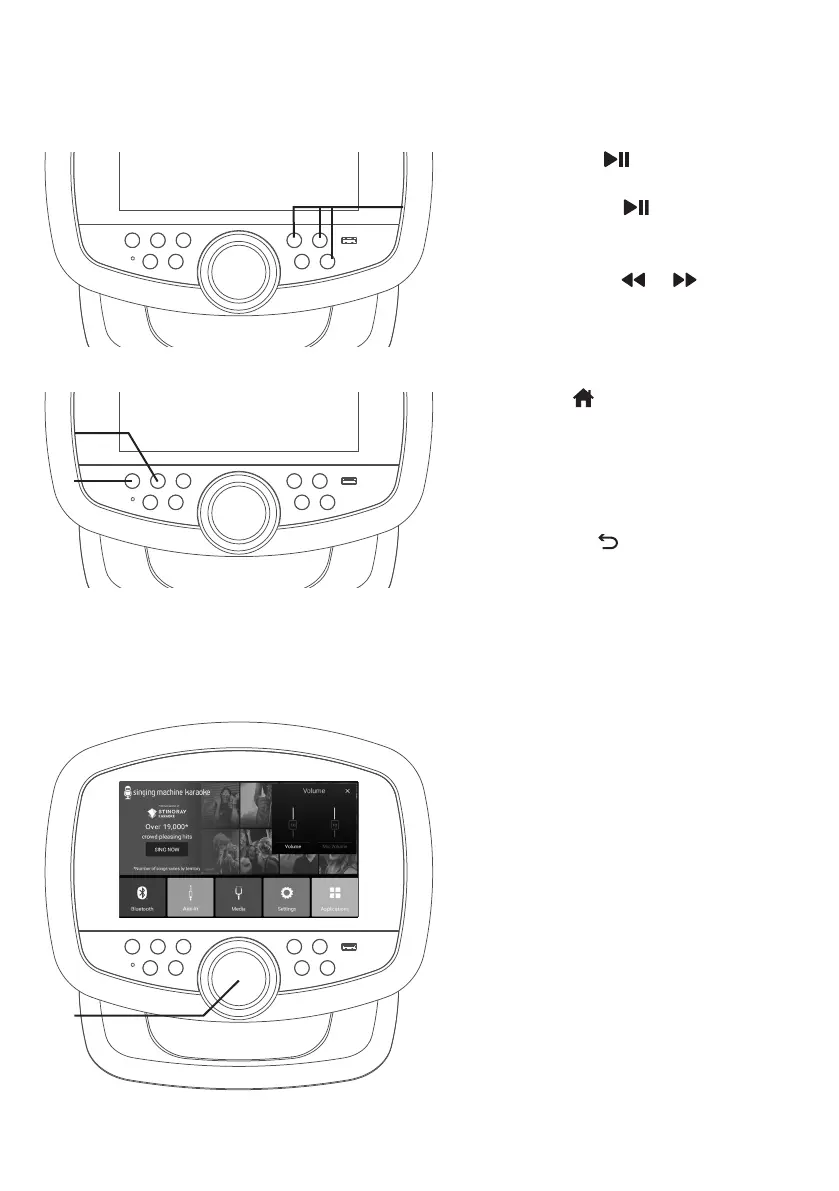
Press the button to play the
song or enter the mode/folder.
Press the button during
playback to pause the song.
Go back or advance one track by
pressing the or
button.
6
Press button to go to the
menu screen while in any mode or
screen.
7
Press the button to go back to
the previous screen.
8
Press the VOLUME/EFFECTS
control key; the MUSIC VOLUME,
and MIC VOLUME level list appear
on the touch screen. Select the list
you want to adjust, then turn the
VOLUME/EFFECTS control or use
the touchscreen to adjust
NOTE: Mic volume to adjust the volume of
both microphones.
Operation
Control Keys (Continued)
V


 To Next Page