— E9 —
Operation
Playing a CD (Continued)
4
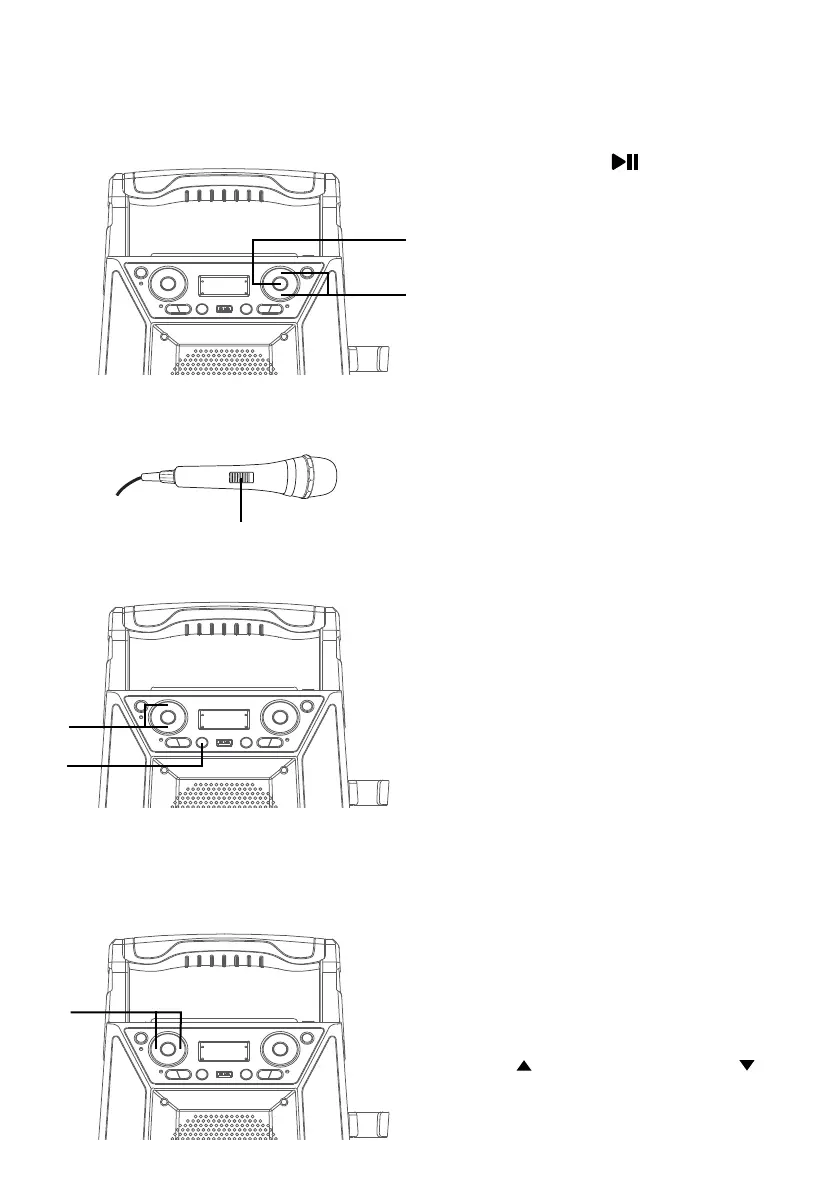
Press the /STOP button to
start playback; if listening to a
CD+G file, the image and lyrics
will appear on the TV screen (if
connected). When a CDG disc is
inserted, the CDG indicator will
light.
5
Adjust the volume to a comfortable
level by pressing the MASTER
VOL + or – button.
NOTE: If connected to a TV or other
audio source, adjust the volume of the TV
using its own volume control.
6
Connect microphone(s) and
slide the ON/OFF switch on the
microphone to the ON position.
7
Press the MIC VOL + or – button
as desired, which will effect on
both microphones.
8
SING-ALONG WITH BUILT-IN
VOICE CHANGERS
There are 6 built-in voice changers
in this unit. Repeatly press the FX
button to select different vocal
effects.
Display will show:
EF0 - NONE
EF1 - ECHO
EF2 - FEMALE
EF3 - MALE
EF4 - CHIPMUNK
EF5 - ROBOT
EF6 - RADIO
9
Adjust the Key using the KEY +/
(Navigation) and KEY –/
(Navigation) buttons to obtain
the best key for the playing track.
U
y
V
W
X
x















 To Next Page