— E11 —
Operation
Using a Bluetooth Device (Continued)
5
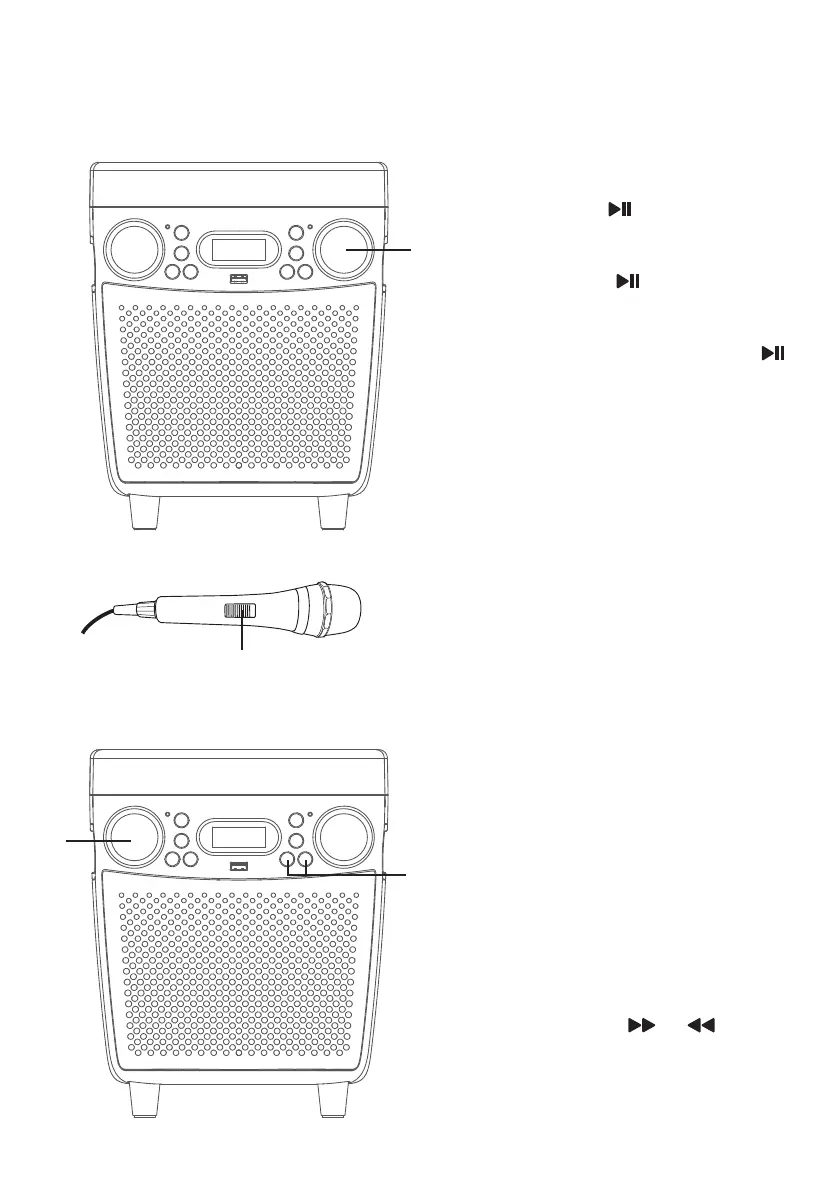
To control your Bluetooth device
from this unit, press the MASTER
VOLUME/ /STOP control to
start playback (music app must
be open). Press the MASTER
VOLUME/ /STOP during
playback to pause the song.
6
Turn the MASTER VOLUME/ /
STOP control to adjust the volume
to a comfortable level, as well as
the volume on your Bluetooth
device.
7
Connect microphone(s) and
slide the ON/OFF switch on
the microphone to the ON
position.
8
Turn the MIC VOLUME/VOICE
EFFECTS control as desired.
Increasing this will increase the
volume of both microphones.
9
Toggle the MIC VOLUME/VOICE
EFFECTS control to select a voice
effect.
10
Advance or go back one track by
pressing the or button.
V
U
y
X
W
at














 To Next Page