— E5 —
Connection
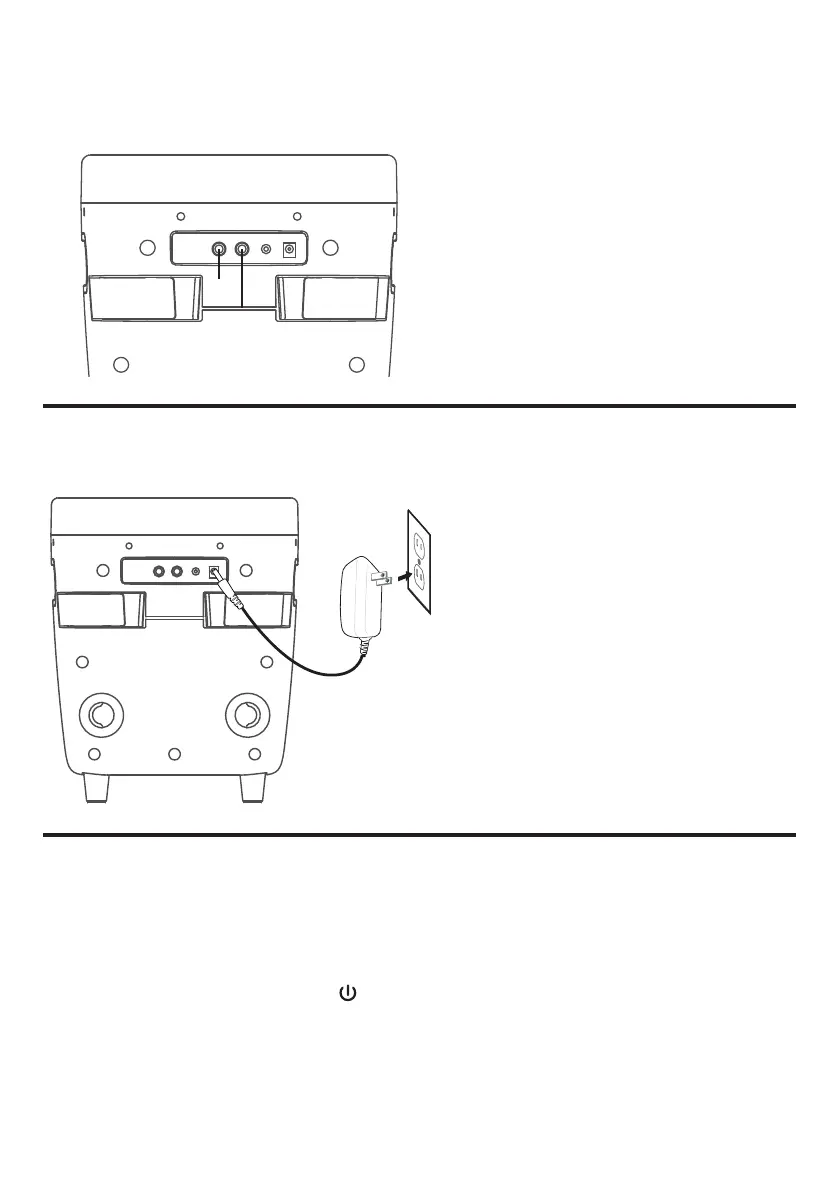
Connecting the Microphone(s)
Microphones:
Connect a microphone into Mic jack 1 as
well as Mic jack 2 (when desired).
NOTE: Do not drop or tap the Mic as
damage to the Mic or speakers may occur.
Do not twirl the microphone cord as it will
cause damage to the encased wiring.
v
u
Connecting to AC Power
Insert the AC power cord into a
conveniently located AC outlet having
120V AC, 60Hz.
NOTE:
Make all connections before connecting to
AC power.
Energy Saving (Auto Power System-
APS)
If there is no audio playback, the unit will automatically enter standby mode after 20 minutes.
To resume use of the unit press the /LIGHTS button.
APS is for energy saving purposes.














 To Next Page