EasyManua.ls Logo

The Singing Machine SMVG-620 - User Manual

The Singing Machine SMVG-620
60 pages
Print Icon
To Next Page IconTo Next Page
Loading...
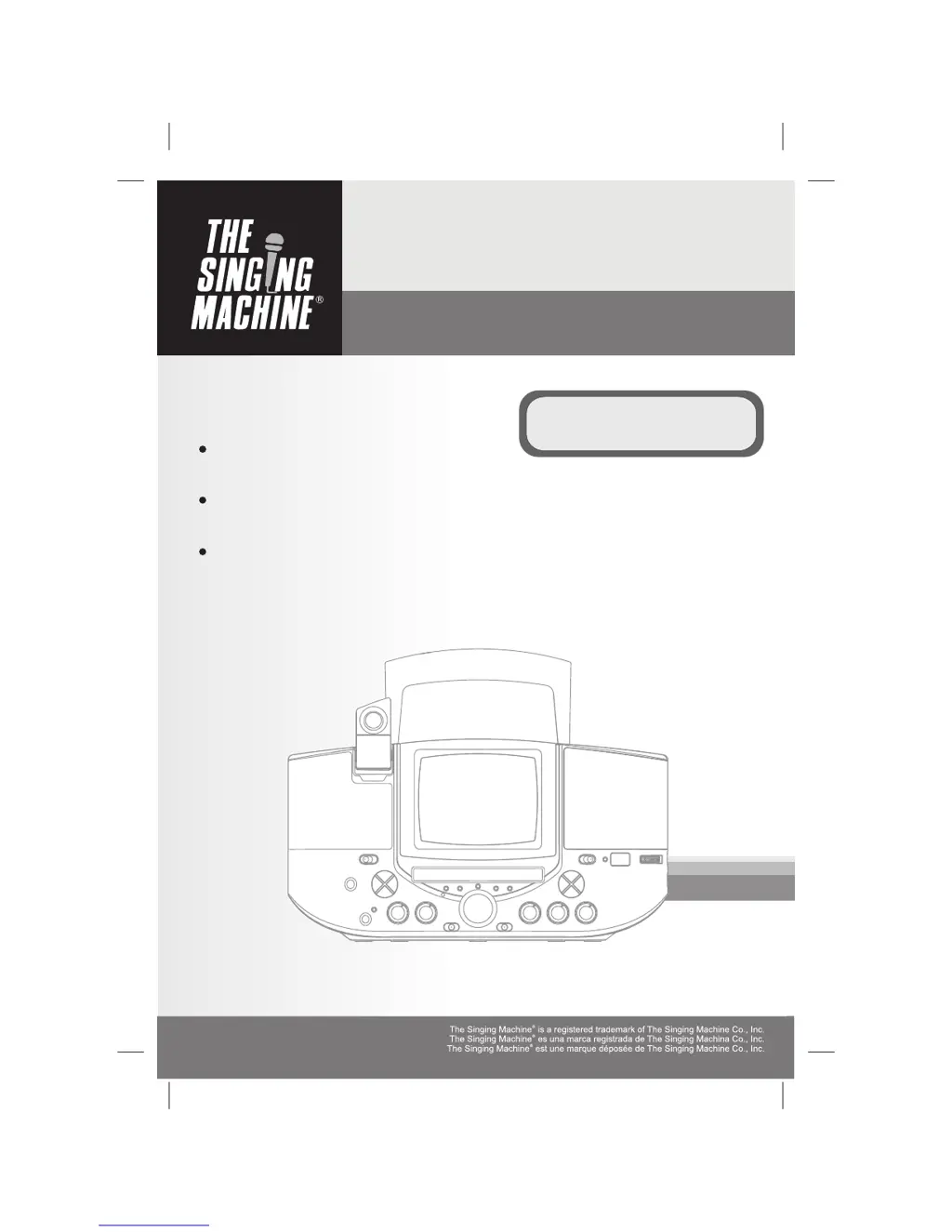
Compact Disc + Graphics
with Built-In TV Karaoke Center
SMVG-620
Please read before using this unit.
Lea antes de usar esta unidad.
Veuillez lire avant d'utiliser cet appareil.
Disco Compacto + Gráficos
Con El Central De Karaoke En La TV
Disque Compact + Graphiques
Avec Centre Karaoké Encastre
Instruction Manual
Manual De Instrucción
Manuel D'instruction
THE LEADER IN HOME KARAOKE AND BEYOND
TM

Questions and Answers

  • T
    Tara ReedAug 17, 2025
    What to do if no song lyrics appear on The Singing Machine SMVG-620 Karaoke System screen?
    • P
      patelmartinAug 17, 2025
      If song lyrics are not appearing on the screen of your Karaoke System, here are a few things to check: * Ensure the video cable is properly connected to the TV, connecting the video cable to the Singing Machine’s VIDEO OUT and to the TV VIDEO IN. * Make sure the source selector on the TV is set to VIDEO. Use your TV remote to select VIDEO input. * If your TV lacks a video line input, connect from VIDEO OUT of the system to the VIDEO IN of your VCR or connect to an RF Modulator and then to the TV cable input. Refer to 'Making the Connections' on page E7. Also, verify the disc is a CDG. * If a CDG disc is loaded but the CDG indicator is not lit, ensure the disc is clean.
  • K
    Kelli ProctorAug 21, 2025
    How to get sound from mic on The Singing Machine SMVG-620?
    • P
      Patricia TateAug 21, 2025
      If you're not getting any sound from the microphone on your Karaoke System: * Adjust the mic volume to the maximum level, then reduce it to a comfortable level. * Ensure the microphone is turned on using the ON/OFF switch located on the microphone.
  • E
    Eduardo ParsonsAug 25, 2025
    What to do if there is no sound when using home stereo with The Singing Machine SMVG-620 Karaoke System?
    • R
      Ruth MckinneyAug 26, 2025
      If you are not getting sound when using a home stereo system with your Karaoke System: * Ensure the source selection on your stereo is set correctly. Select AUX IN as the source for your home stereo. * Check for proper connection to the stereo system or PA. Follow the directions on page E10 for connecting to a home stereo system.
  • C
    cindy37Aug 29, 2025
    What to do if there is no sound when using TV or VCR with The Singing Machine Karaoke System?
    • M
      Mrs. Lori AustinAug 29, 2025
      If you are not getting sound when using a TV or VCR with your Karaoke System, the source selection on the TV or VCR may not be correct. Follow directions on page E7 for ‘Video Connection.’
  • G
    Gloria OrtegaSep 1, 2025
    Why is the picture jumping up on The Singing Machine SMVG-620?
    • M
      moorenicholasSep 1, 2025
      If the picture is jumping up on your Karaoke System, the VERTICAL HOLD Control might not be set correctly. Adjust the VERTICAL HOLD Control.
  • K
    Kathleen MatthewsSep 5, 2025
    How to fix no image display on The Singing Machine SMVG-620 monitor?
    • D
      Dennis GonzalezSep 5, 2025
      If there is no image displayed on the monitor of your Karaoke System: * Check if the Camera Lens is down. Lift up the Camera Lens. * Ensure the Monitor Selector is set properly to CAMERA mode.
  • T
    taylorveronicaSep 9, 2025
    What to do if The Singing Machine SMVG-620 Karaoke System has no power when plugged in?
    • L
      Larry ScottSep 9, 2025
      If your Karaoke System has no power when plugged in, the AC outlet may not have power. Check the outlet with a working lamp or other electrical appliance.
  • V
    vpaulNov 13, 2025
    Why is there no sound coming from The Singing Machine SMVG-620 Karaoke System?
    • H
      Harold Fischer Jr.Nov 13, 2025
      If there is no sound coming from your Karaoke System, there could be several reasons: * The volume control might be set to the minimum. Turn up the volume. * If connected to a TV or PA system, its volume control might be set to the minimum. Increase the volume on the TV/PA system. * The TV/PA system might be off. Turn on the power to the TV/PA system. * The AUX OUT jacks might not be connected. Follow directions on page E10 for ‘Audio Connection.’ * The disc might be inserted upside down. Insert the disc correctly. * The disc might be dirty. Wipe it clean with a soft cloth. * The disc might be scratched or warped. Use a new disc. * A nonstandard disc might be inserted. Only use discs bearing a standard logo as described on page E12. * Moisture might have formed inside th...

Summary

Safety and Warnings

General Warnings and Cautions

Covers risks like fire, electric shock, laser exposure, and general precautions.

Important Safety Instructions

Detailed safety instructions for operation, installation, and maintenance.

Introduction

Product Features Overview

Highlights key features of the Karaoke Center, like lyrics display and audio controls.

Control Locations

Front Panel Controls

Identification of controls and indicators on the front of the unit.

Rear Panel Connections and Controls

Details ports and adjustment controls located on the rear of the unit.

Making Connections

Connecting Power, TV, and VCR

Instructions for power, connecting to TV for video/audio, and VCR recording.

External Video and Audio Connections

Guides on external video sources, RF modulators, audio inputs, and selectors.

CD and CD+G Operation

Disc Handling and Playback Modes

Instructions for preparing, loading, playing, pausing, and stopping discs.

Advanced Playback and Radio Functions

Covers skip, search, repeat, program modes, and radio tuning.

Care and Maintenance

Cleaning and Component Care

Guidelines for cleaning the unit, laser lens, and handling compact discs.

Troubleshooting Guide

Specifications

Audio, CD, Monitor, and Radio Specs

Technical details for audio, CD player, monitor, and radio sections.

Power, Dimensions, and Accessories

Covers power requirements, physical dimensions, weight, and included accessories.

Karaoke Glossary

Karaoke Terminology Definitions

Defines terms such as Echo, Multiplex, Key Controller, and CDG.

Company Information

The Singing Machine SMVG-620 Specifications

General IconGeneral
BrandThe Singing Machine
ModelSMVG-620
CategoryKaraoke System
LanguageEnglish

Related product manuals