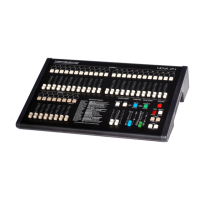
NOVA OPERATION 19
RECORD AND ERASE ENABLE
Before you can record scenes the Record Enable LED must be set on using a key code. The Record and Erase codes will be
found on a removable sticker on the back of the desk when you first take delivery.
RECORD ENABLE
To allow any change to the permanent memory, the LED above the Record key must be on. If the Record LED is off all recordings
are protected from modification. To turn on this LED (if it is off), enter the code as follows (if for example Record Code is 622):
> Hold down [RECORD], then press 6, then 2, then 2 in succession on the Channel Flash keys: after a Mimic flash,
the Record LED will light Green to show Record is enabled.
ERASE MEMORY
Every Nova has a 4 digit code for erasing all recordings. This is only necessary if you are planning to record a completely new
show. If your Erase code is for example, 1187:
1 Ensure that the Record LED is on as shown above.
2 Hold down [RECORD] and [CUE GO], then press 1, 1, 8, and 7 in succession on the Channel Flash keys.
3 Release [RECORD] and [CUE GO]: a long Mimic flash indicates that all previous recordings have been erased.
As with the Record code, the Erase code can only be entered on the Channel Flash keys, 1 through 9. Entering the wrong Erase
code affords extra protection by cancelling the Record LED, which must be enabled again before attempting an erase.
RECORD DISABLE
To protect your recordings, you can disable Record (if it is on) as follows:
> Hold [RECORD] then press [CUE GO]: the Record LED will turn off.
Attempts to record or edit recorded scenes will now have no effect.
RECORD CLEAR
If you press Record while enabled, the Record LED will change to Red (or flash Red) to indicate a recording has been made. You
can clear the recording as follows:
> Hold [RECORD] then press [DBO]: after a Mimic flash the Record LED will change to Green.
Only the Record Buffer memory is cleared. This function is useful if you make a mistake in recording, or if you press the Record
key accidentally. You should always make sure the Record LED is GREEN before recording any new levels.



 To Next Page